


Now, lead capture software has become the secret weapon behind high-performing marketing and sales teams. Whether you’re collecting leads from landing pages, trade shows, or digital business cards, the right lead capture tools can turn casual visitors into qualified prospects — and qualified prospects into paying customers.
In this guide, we’ll explore how modern businesses use lead capture systems to collect richer lead data, automate follow-ups, and connect every touchpoint directly into their CRM. From AI-powered data platforms to lightweight apps, here are the tools and tactics you’ll need to turn every interaction into a sales opportunity in 2025.
What Is Lead Capture and Why It Matters More Than Ever
Lead capture is the process of collecting information from potential customers and converting that interest into actionable data for your sales and marketing teams. In simple terms, it’s how your business captures leads, organizes them, and turns them into clients.
Why It Matters in 2025
Lead capture matters more than ever because the buyer journey is no longer linear. Today’s sales funnel spans multiple channels — from social ads and landing pages to in-person events — making it harder to track every interaction manually. That’s where modern lead capture software comes in.
With AI-driven insights and CRM-connected systems, businesses can:
- Streamline lead capture processes and save time for both sales and marketing teams.
- Generate richer, more accurate lead capture data for analysis and follow-up.
- Identify and qualify leads earlier in the buying cycle.
- Build a unified database that scales with your business.
How Does Lead Capture Software Work?
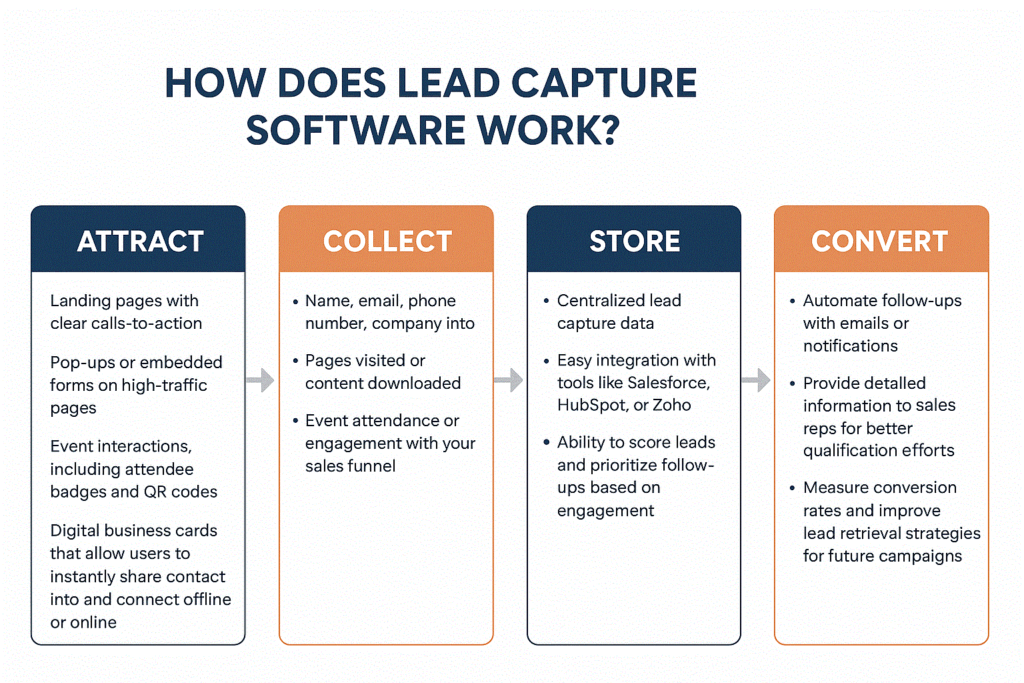
Lead capture software works by turning interest into actionable lead information. The process typically follows a clear path: attract → collect → store → convert. Each stage uses different tools and methods, from web forms and pop-ups to digital business cards and chatbots, ensuring that no potential customer is missed.
Which Lead Capture Tools Stand Out in 2025?
From powerful CRMs to lightweight apps, here are the tools changing how businesses collect and manage leads in 2025. Each platform focuses on making capturing leads more efficient, improving conversion rates, and providing richer lead capture data for sales and marketing teams.
1. SalesIntel — Best for B2B Lead Targeting
What it does:
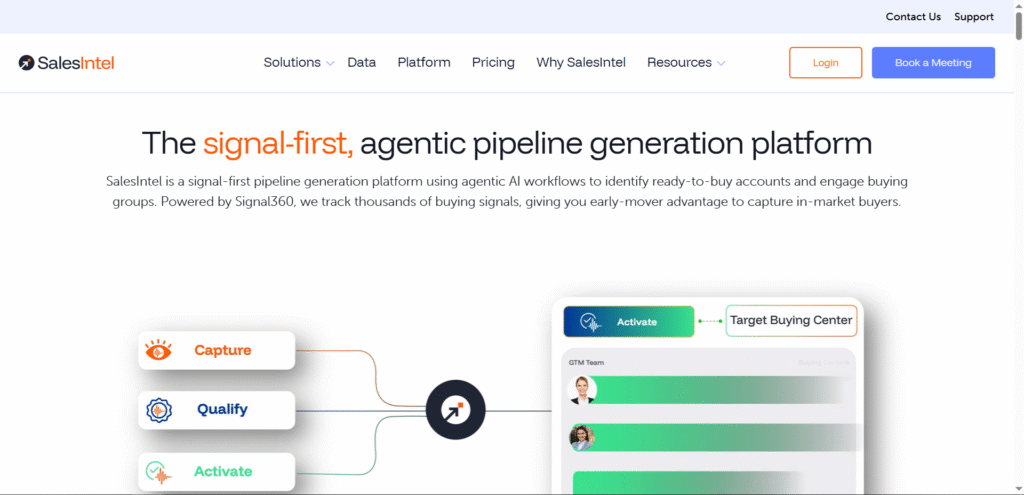
SalesIntel provides verified B2B contact and account data plus intent signals so sales and marketing teams can find, qualify, and prioritize high-value prospects before outreach.
Key Features:
- Human-verified contact data and firmographics
- Intent & buying-signal tracking (Signal360)
- Forms and visitor intelligence to turn web interactions into qualified leads
- Native CRM integrations and enrichment APIs
Pros & Cons:
- Pros: Extremely accurate data (human-verified), strong intent signals for ABM, solid CRM sync.
- Cons: Enterprise-grade pricing for full feature sets; best value where ABM/targeting matters.
Best For / Use Cases:
B2B teams running account-based marketing or targeted outbound who need highly accurate contact and intent data.
Pricing:
Platform + licensing model; contact/pricing is customized (unlimited-data plans and add-ons available). (SalesIntel)
External Link:
Official SalesIntel site. (SalesIntel)
2. FormAssembly — Best for Secure Data Collection
What it does:
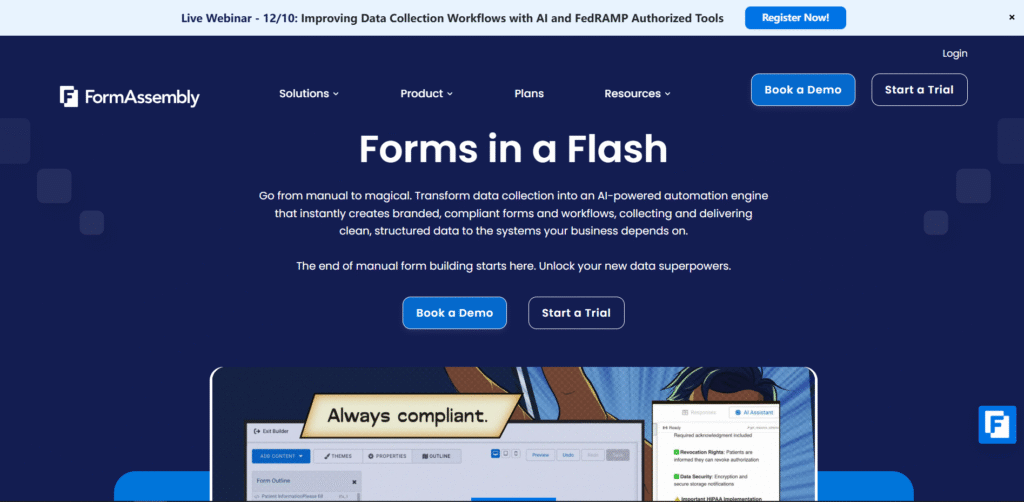
FormAssembly builds secure, GDPR-ready web forms and form workflows that pipe validated lead data directly into CRMs (Salesforce, etc.) and data stores.
Key Features:
- Drag-and-drop form builder with advanced workflows
- Enterprise security & GDPR compliance features
- Salesforce-ready connectors and automation
- Analytics and form-response handling
Pros & Cons:
- Pros: Enterprise-grade security and compliance; great for complex, multi-step data capture.
- Cons: Pricing moves to “contact sales” for team/enterprise tiers; not the cheapest option for simple forms.
Best For / Use Cases:
Enterprise marketing teams, regulated industries, and organizations collecting sensitive or complex lead information (trade shows, multi-step intake forms).
Pricing:
Plans start around $59/month (Atlas Explorer entry), with higher team/enterprise tiers by quote. (FormAssembly)
External Link:
Official FormAssembly site. (FormAssembly)
3. Kaspr — Best for LinkedIn Lead Capture
What it does:
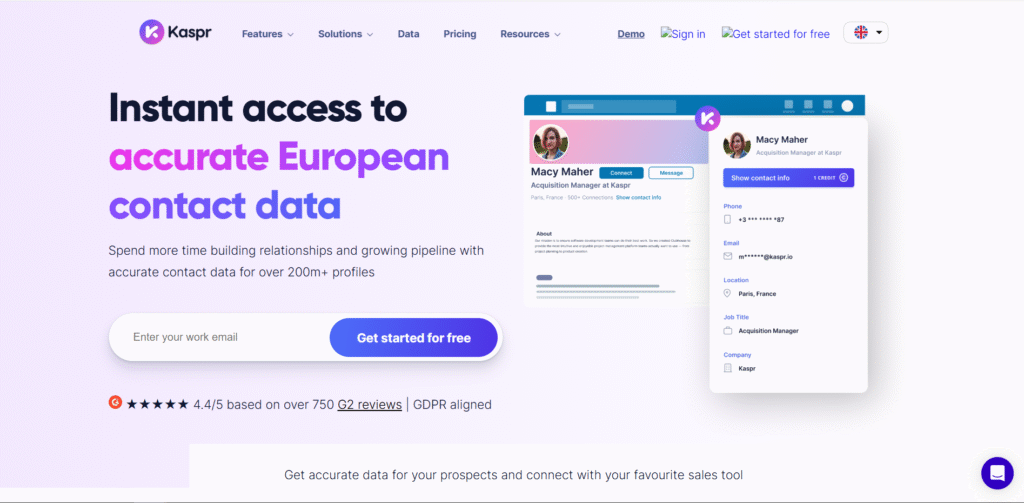
Kaspr is a LinkedIn-focused lead capture tool (Chrome extension + web app) that finds emails/phones from LinkedIn profiles and exports contacts to your CRM.
Key Features:
- One-click contact extraction from LinkedIn profiles
- Export to CSV / CRM and bulk enrichment credits
- Chrome extension that works on Sales Navigator / Recruiter pages
- Shared team credits and tiered plans
Pros & Cons:
- Pros: Fast LinkedIn-to-CRM extraction; free tier to test; great for SDR prospecting.
- Cons: Data/credit limits on lower tiers; careful use needed with LinkedIn terms of service.
Best For / Use Cases:
Outbound SDR teams and recruiters who prospect heavily on LinkedIn and want quick exports/enrichment.
Pricing:
Free tier available; paid plans start around €49–€79/month per user depending on credits and features. (Kaspr)
External Link:
Official Kaspr site. (Kaspr)
4. ZoomInfo — Best for Verified Contact Data
What it does:
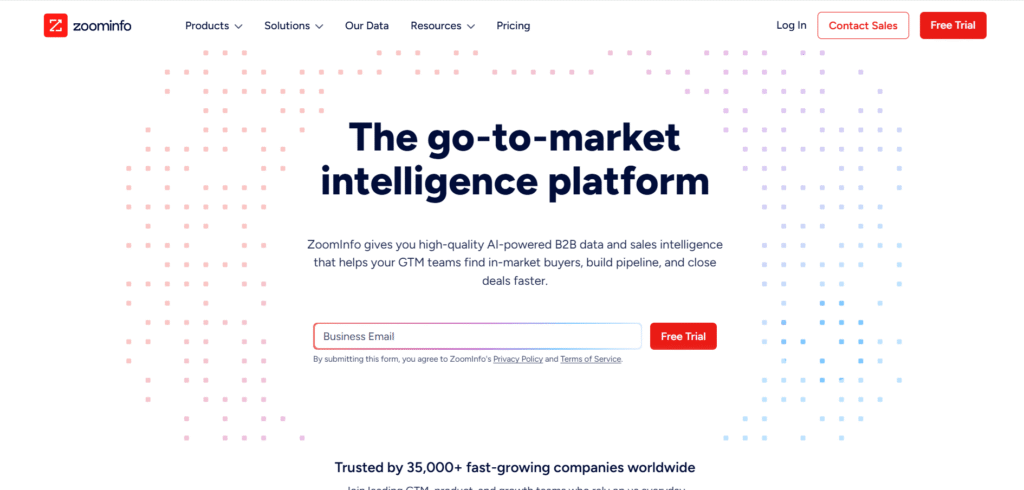
ZoomInfo offers a massive B2B contact and company database with automated enrichment, intent data, and segmentation to fuel outbound and marketing programs.
Key Features:
- Large, frequently-updated B2B contact database
- Buying-intent signals and AI-driven segmentation
- Enrich and sync leads directly to CRMs (HubSpot, Salesforce)
- Add-ons for deeper enrichment and intent streaming
Pros & Cons:
- Pros: Very comprehensive data and intent tooling; enterprise integrations are strong.
- Cons: Can be expensive; pricing and add-ons often put it in the enterprise bracket.
Best For / Use Cases:
Mid-market to enterprise B2B sales and marketing teams that rely on scale and accuracy of data to drive pipeline.
Pricing:
Enterprise-level pricing and add-ons; estimates and contracts are typically quoted (can be significant for full-feature implementations). (Bookyourdata)
External Link:
ZoomInfo / pricing overviews. (Bookyourdata)
5. CallRail — Best for Call and Form Tracking
What it does:
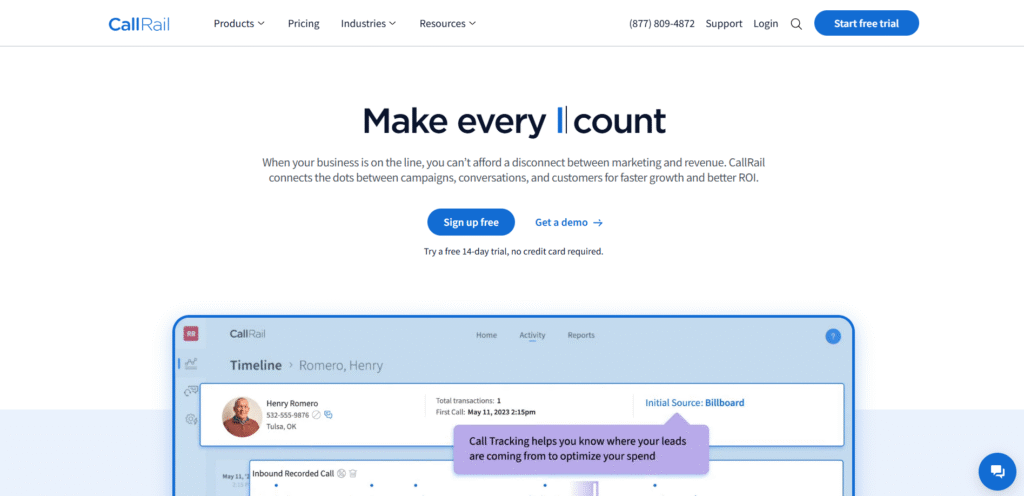
CallRail tracks phone calls and web form submissions, attributes them to marketing channels, and provides conversation analytics so teams can score and act on inbound leads.
Key Features:
- Call tracking and form tracking across campaigns
- Conversation intelligence (transcripts, sentiment, keyword spotting)
- Call routing, recording, and analytics dashboards
- Integrations with CRMs and ad platforms for attribution
Pros & Cons:
- Pros: Great visibility into offline/phone lead sources; improves follow-up and ROI tracking.
- Cons: Extra usage charges possible; conversation intelligence often needs higher tiers.
Best For / Use Cases:
Local businesses, service providers, agencies, and any teams relying on phone leads or wanting end-to-end attribution from ad → call → sale.
Pricing:
Plans often start around $45–$50/month for basic tracking; full “Lead Tracking / Conversation Intelligence” bundles range higher (CallRail shows tiered plans). (CallRail)
External Link:
Official CallRail site. (CallRail)
6. LeadIQ — Best for Prospecting and Enrichment
What it does:
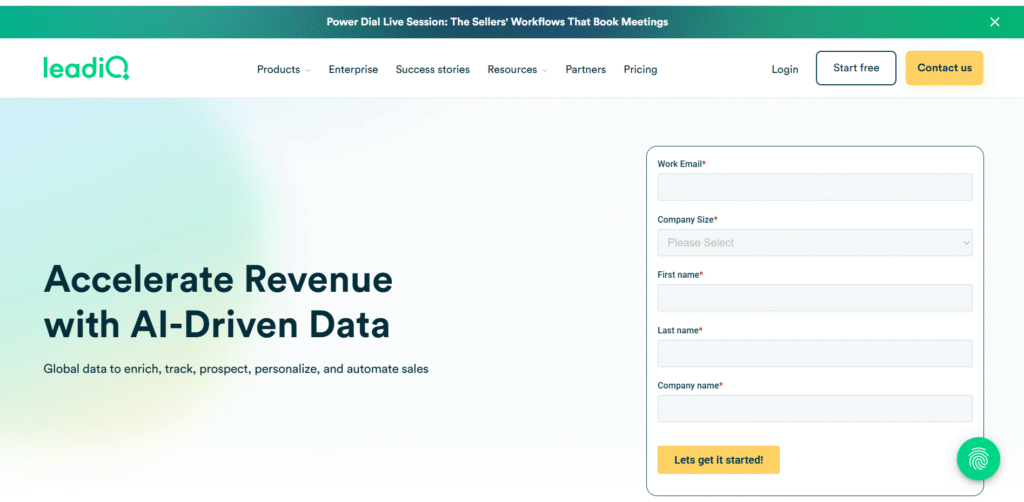
LeadIQ automates prospect discovery and enrichment (especially from LinkedIn) and pushes that clean, verified data into Salesforce/Outreach so reps spend less time researching and more on outreach.
Key Features:
- Quick contact capture and verification
- CRM sync (Salesforce, Outreach) and export tools
- AI-assisted prospecting and email generation
- Browser extension and list-building tools
Pros & Cons:
- Pros: Speeds up outbound prospecting and enrichment; tight CRM integrations.
- Cons: Pricing varies by seat and usage; free options limited.
Best For / Use Cases:
Sales teams focused on outbound prospecting who need rapid contact discovery and CRM enrichment.
Pricing:
Tiered plans; free trials exist; paid plans commonly start in the $39–$79/user/month range depending on edition. (LeadIQ)
External Link:
Official LeadIQ site. (LeadIQ)
7. HubSpot — Best All-in-One Lead Capture Platform
What it does:
HubSpot’s CRM captures leads from website forms, pop-ups, chatbots, and emails, then centralizes contact records, automation, and reporting in a single platform.
Key Features:
- Free CRM with forms, contact timeline, and deal pipelines
- Marketing tools: pop-ups, landing pages, email automation
- Lead scoring, analytics, and extensive integrations
- Hub ecosystem for Sales, Marketing, and Service Hubs
Pros & Cons:
- Pros: Powerful free tier; easy to scale with modular Hubs; excellent education/resources.
- Cons: Advanced features (automation, reporting) can get expensive as you scale.
Best For / Use Cases:
Small businesses through enterprises that want an integrated marketing + sales platform and smooth onboarding for non-technical teams.
Pricing:
Free CRM available; paid Hubs and premium features start at modest entry points but can scale to large monthly/annual costs for full feature sets. (HubSpot)
External Link:
HubSpot CRM / Products. (HubSpot)
8. FlashInfo — Best for Real-Time Data Updates
What it does:
FlashInfo (FlashIntel/FlashInfo family) provides real-time contact discovery, email verification, and intent signals—letting teams keep lead data fresh and actionable at the moment of outreach.
Key Features:
- Real-time email & phone discovery via extension and web app
- Company & person profiles with intent signals
- Exports to CRM and outreach tools
- Mobile and browser integrations
Pros & Cons:
- Pros: Fast, real-time enrichment; helpful for timely outreach.
- Cons: Pricing scales quickly for large credit volumes; best used alongside an outreach stack.
Best For / Use Cases:
Teams who need near-real-time verified contact data for fast outreach—recruiters, high-velocity sales teams, and SMBs scaling outbound.
Pricing:
Offers free tier/features; paid plans scale (examples show Growth tiers starting in the low hundreds per month). (knowledge.flashintel.ai)
External Link:
FlashInfo info & extension. (Chrome Web Store)
9. Adapt — Best Free Lead Capture Database
What it does:
Adapt.io (Adapt) provides an accessible B2B contact database and enrichment tools (email finder, filters, API) so teams can build targeted lists and capture lead data without a massive spend.
Key Features:
- Large B2B contact database and email finder extension
- Enrichment and export to CSV/CRM
- Advanced filters (title, industry, revenue, tech used) for list building
- API access and integration options
Pros & Cons:
- Pros: Generous free tier/credits; easy list-building; cost-effective for startups.
- Cons: Data depth/coverage varies by region; higher-need customers often move to paid tiers.
Best For / Use Cases:
Startups and small teams that need a scalable, low-cost source of B2B contacts and enrichment to kick off outreach.
Pricing:
Free tier available; starter plans from $49/month and higher tiers for more credits and exports. (Adapt)
External Link:
Adapt.io official site and pricing. (Adapt)
10. CUFinder — Best for Email & Phone Data Extraction
What it does:
CUFinder is a B2B prospecting and data-extraction platform that locates business emails and phone numbers, supports bulk scraping/enrichment, and pushes clean contacts into your CRM.
Key Features:
- Contact & company search, bulk email & phone extraction
- Data enrichment, verification, and export tools
- Chrome extension and Salesforce/CRM integrations
- Tiered credits and export limits by plan
Pros & Cons:
- Pros: Affordable credit plans and free tier options; good for extracting lots of contacts quickly.
- Cons: Heavy scraping use requires compliance checks; lower-tier plans limit export/phone credit volumes.
Best For / Use Cases:
Sales and recruiting teams who need bulk email/phone extraction and quick enrichment without enterprise pricing.
Pricing:
Free tier/credits exist; paid plans commonly range $39–$119/month depending on credits and export allowances. (CUFinder)
External Link:
CUFinder official site and pricing pages. (CUFinder)
How to Choose the Right Lead Capture Software
Not every lead capture tool works for every business. Here’s a quick comparison to help you choose the right lead capture software for your needs:
| Tool | Key Strengths (What It’s Best At) | Standout Features | Ideal For | Pricing (General) |
|---|---|---|---|---|
| SalesIntel | B2B lead targeting & intent data | Verified contacts, intent scoring, ABM integrations | B2B teams, ABM campaigns | Mid–High (subscription) |
| FormAssembly | Secure, compliant data collection | GDPR-ready forms, Salesforce native, enterprise security | Enterprise, healthcare, finance | Mid–High |
| Kaspr | LinkedIn lead capture | Chrome extension, email extraction, CRM export | Outbound sales, recruiters | Freemium |
| ZoomInfo | Large verified B2B database | AI segmentation, real-time enrichment, CRM sync | Mid–large B2B orgs | High |
| CallRail | Call + form tracking | Call attribution, conversation intelligence, ROI analytics | Agencies, local businesses | Mid-range |
| LeadIQ | Prospecting + enrichment automation | Data enrichment, AI lead scoring, Salesforce sync | Outbound SDR teams | Mid-range |
| HubSpot CRM | All-in-one lead capture & automation | Forms, pop-ups, automated nurturing, analytics | SMBs, startups, SaaS | Free + paid tiers |
| FlashInfo | Real-time contact updates | Intent signals, email verification, CRM export | Data-driven sales teams | Low–Mid |
| Adapt | Free B2B contact database | Industry filters, CRM integration | Small businesses, new teams | Free |
| CUFinder | Bulk email & phone extraction | Scraping, batch processing, multi-source capture | SDR teams, mass prospecting | Low–Mid |
How Bizcard Transforms Lead Capture

Bizcard turns every interaction into a lead capture opportunity, bridging the gap between networking and actionable sales leads. Unlike traditional lead capture tools, Bizcard makes it easy for sales teams and marketing teams to collect, store, and act on lead data instantly.
| Feature | How It Helps | Benefit for Teams |
|---|---|---|
| QR Code & NFC Sharing | Scan a digital business card or tap to share contact info instantly | Converts conversations into leads in seconds |
| CRM Integration | Syncs with HubSpot, Salesforce, Zoho, and more | Keeps lead capture data centralized and up-to-date |
| Built-In Analytics | Tracks who viewed, tapped, or saved your card | Helps sales teams prioritize and qualify leads |
| Offline Access | Cards work even without internet at trade shows or events | Ensures capturing leads anywhere, anytime |
| Rich Lead Data Capture | Collects full contact info, social profiles, and notes | Provides richer data for better follow-up and qualification efforts |
| Scalable for Teams | Manage individual cards or company-wide templates | Perfect for sales and marketing teams of all sizes |
Why Bizcard Works:
- Every digital business card is a live lead capture touchpoint.
- Sales teams can follow up instantly with new potential customers, improving conversion rates.
- Marketing teams can analyze behavioral data to optimize campaigns.
- Works at events, on websites, or in remote meetings, making lead capture processes seamless.
Bizcard doesn’t just store contacts — it turns networking interactions into a lead-generating machine, empowering sales teams and marketing teams to scale efficiently and close deals faster.
FAQs
1. What are lead capture tools, and why are they important?
Lead capture tools are software solutions that help collect contact information from website visitors, such as email addresses or phone numbers. They are crucial for converting visitors into potential customers, nurturing relationships, and driving sales growth.
2. How do lead capture tools work?
These tools use forms, pop-ups, chatbots, or landing pages to engage visitors. In exchange for valuable resources like discounts, eBooks, or newsletters, visitors provide their contact details, which are then stored for follow-up.
3. What features should I look for in a lead capture tool?
Look for tools with:
- Customizable forms and templates
- CRM and email marketing integrations
- Analytics and reporting
- A/B testing capabilities
- Mobile responsiveness and GDPR compliance
4. How do I choose the best lead capture tool for my business?
Consider your business goals, budget, and technical needs. Choose tools that integrate seamlessly with your existing systems and offer features that align with your marketing strategy.
5. What are the top lead capture tools for 2025?
Some of the best tools include [insert tools from your blog, e.g., HubSpot, OptinMonster, Leadpages, etc.]. Each tool offers unique features tailored to different business needs.

![What is NFC in Phones? How Does it Work? How to Use [2026 Ultimate Guide]](https://card.biz/wp-content/uploads/2025/12/image-125-420x280.png)
