


You can make your own custom nfc business cards even if you have never tried anything techy before. Just tap your card on a phone, and your contact details pop up right away. Many people love these cards because you can update your info anytime and never worry about printing costs or wasting paper.
Custom NFC business cards make it easy for anyone to share their details with just a tap, even if they’ve never done anything “techy” before. In this guide, I’ll walk you through what these cards are, how they work, and why they’re so popular with modern professionals.
You’ll learn what you need to get started, how to design and program your own card, and how to use it in real-life networking. I’ll also cover best practices, common mistakes, where to buy NFC cards and tags, what they really cost, and answer the most common questions people ask before making the switch.
What Are Custom NFC Business Cards
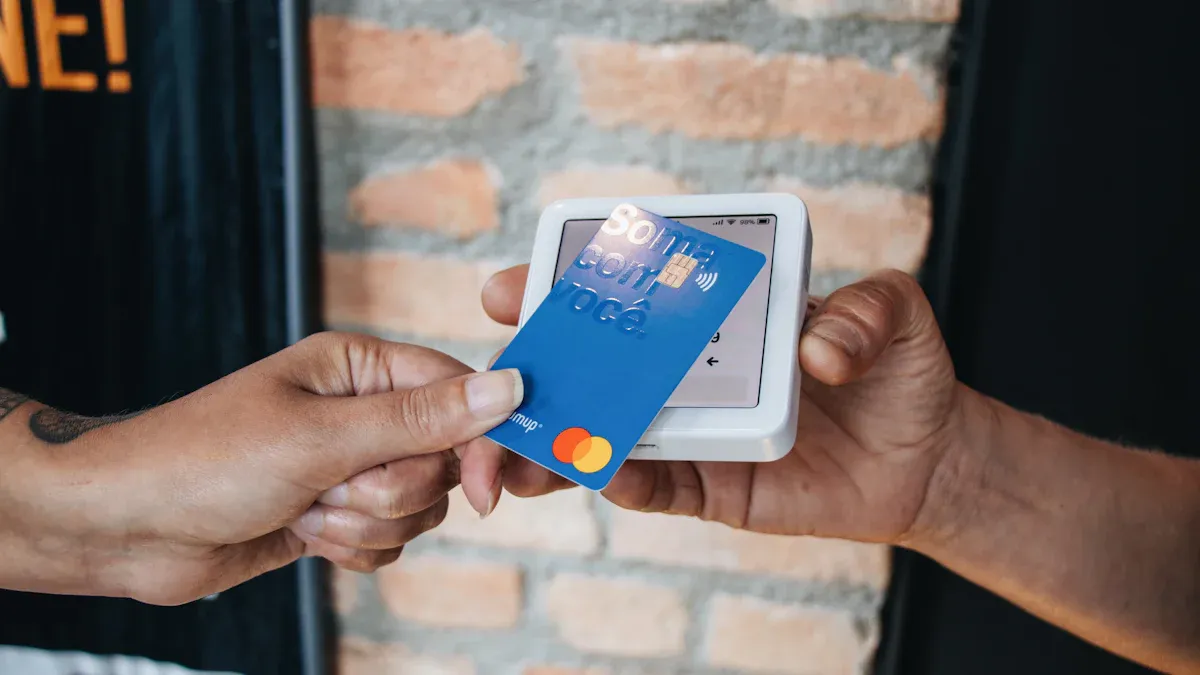
Custom nfc business cards are smart cards. They let you share your contact info with a tap. You do not need paper cards anymore. You also do not need to ask someone to type your phone number. These cards have a tiny chip inside. The chip sends your info straight to a smartphone. You can change your details anytime. You can add a QR code for older phones.
Here’s a quick look at how custom nfc business cards compare to regular business cards:
| Feature | NFC Business Cards | Standard Business Cards |
|---|---|---|
| Ease of Use | Tap to share info fast with smartphones. | You must type or scan QR codes. |
| Customization Options | You can change the look to match your brand. | You can only change what fits on the card. |
| Update Capabilities | You can update info without printing again. | You must print new cards for changes. |
| Modern Appeal | Shows you like new tech and ideas. | Looks old-fashioned and not modern. |
| Cost-Effectiveness | You can use and edit one card many times. | You pay more each time you print. |
| Eco-Friendliness | Helps save paper and lowers waste. | Uses paper and makes more trash. |
How NFC Business Cards Work
Tap-to-Share Technology
You tap your card on a smartphone. Your contact info pops up right away. The card has a chip that talks to the phone. It uses NFC (Near Field Communication). The chip sends your name, phone number, and website. It can also send your social media links. You do not need to type or scan anything. It feels cool and easy to use.
- NFC lets devices talk when they are close together.
- The chip sends your info to the phone with a tap.
- You can share your details in just a few seconds.
QR Code Backup Option
Some phones do not have NFC. Older phones may not work with it. That is why many custom nfc business cards have a QR code. The QR code is printed on the card. If someone cannot use NFC, they can scan the QR code. They use their camera to do this. You will always be able to share your info.
Tip: Make sure your card has both NFC and a QR code. You will be ready for any phone.
Key Benefits for Professionals
Custom nfc business cards help you stand out. They make networking easy. Here are some reasons people like them:
- Share your contact info with just a tap.
- Change your details anytime—no need to print new cards.
- Show your brand with a cool, tech card.
- Save money by using the same card again.
- Help the planet by using less paper.
- Make a great first impression at events.
- Keep your info correct and up to date.
Typical Use Cases
You can use custom nfc business cards in many ways:
- Sales and marketing pros share info and impress clients.
- Entrepreneurs and freelancers show their work and get leads fast.
- Corporate executives swap info at meetings and connect with partners.
- People at trade shows or conferences use them to meet others.
No matter your job, these cards help you network better. They help you leave a strong impression.
What You Need to Get Started to Custom NFC Business Card
Ready to make your own custom NFC business cards? You only need a few things to get started. Most of these items are easy to find, and you probably already have some at home.
Choosing NFC Tags or Cards
You need a blank NFC card or sticker. These cards have a tiny chip inside that stores your info. You can pick from different types, but some work better for business cards.
Recommended NFC Types (NTAG213/215/216)
The best chips for business cards are NTAG213, NTAG215, and NTAG216. These chips come from NXP and work with most smartphones. They have enough memory for your contact details, website, and even a short bio.
Choosing the right NFC chip helps you share your info quickly and keeps your card working with new phones in the future.
Compatibility Tips
Not all NFC cards are the same. You want a card that works with as many phones as possible. NTAG213, NTAG215, and NTAG216 are safe choices. They follow common NFC rules, so you can use them with both Android and iPhone.
Here’s a quick table to help you pick the right NFC card:
| Criteria | Description |
|---|---|
| Compatibility | Works with most smartphones (Android and iPhone 7 or newer). |
| Storage Capacity | Enough space for contact info, links, and more. |
| Customization | Lets you add your logo or design. |
| Security | Keeps your info safe with good protection. |
| User-Friendliness | Easy to use—just tap and share. |
| Functionality | Shares contact info or links to your website or portfolio. |
Smartphone and App Requirements
You need a smartphone that can read and write NFC tags. Most Android phones have this feature. iPhones from iPhone 7 and up can read NFC tags if they run iOS 11 or newer.
| Device Type | Compatibility | Notes |
|---|---|---|
| Android | NFC Enabled | Turn on NFC in your phone’s settings. |
| iPhone | iPhone 7+ | Needs iOS 11 or higher to read NFC tags. |
To program your card, you need an app. Some popular choices are:
- NFC Tools: Lets you write your info to the card.
- HiHello: Makes digital cards and shares them with a tap.
- Linq: Offers extra features like analytics and design options.
Other Helpful Tools
A few extra tools can make the process smoother. Here’s a handy list:
- Blank plastic business cards or programmable NFC stickers.
- Custom QR code stickers for backup sharing.
- Plastic laminate to protect your card (optional).
- A webpage or online profile to link to (like LinkedIn or a personal site).
- Design software like Photoshop if you want a custom look.
- Online services like Vistaprint or Strikingly for easy design and printing.
Tip: You can create your card design online, order an NFC card, and use an app to add your info. It’s simple and fun!
With these tools, you’re ready to start making your own custom nfc business cards. You’ll be sharing your info in style in no time.
How Design Your Custom NFC Business Card [Complete Guide]
![How Design Your Custom NFC Business Card [Complete Guide]](https://card.biz/wp-content/uploads/2025/11/354c8e0928464c1eada43f39d11b0c95.webp)
Step 1. Prepare Digital Card Platforms and Apps
Before you start making your card, you need to pick a digital card platform or app. These tools help you create, customize, and manage your card’s info. You can also use them to update your details anytime.
Here are some of the most popular platforms and apps for creating custom nfc business cards:
- Uniqode — Great if you want analytics and lead capture.
- HiHello — Perfect for teams and businesses.
- Wave — Offers a generous free plan.
- Blinq — Simple and minimalist.
These platforms let you add your logo, choose designs, and even track how many people tap your card. You can share your card with a tap, a QR code, or even add it to your phone’s wallet. Many of these apps also connect with CRM tools and offer strong security for your info.
Tip: Try out a few apps to see which one feels easiest for you. Most have free versions, so you can experiment before you decide.
Step 2. Write Info to Your NFC Card: Step-by-Step Programming Guide
Now you’re ready to put your info onto your NFC card. This part sounds technical, but it’s actually simple. You just need your phone, your blank NFC card, and an app.
Prepare Your Card and App
First, make sure you have a blank NFC card or tag. It should not be locked or used before. Download an NFC writing app on your phone. Popular choices include “NFC Tools” and “TagWriter” by NXP.
Write a URL or vCard
You can store a web link (URL) or a digital business card (vCard) on your NFC card. Here’s how you do it using an app like NFC Tools:
- Open the NFC Tools app.
- Tap “Write.”
- Tap “Add a Record” and pick “Custom URL/URI.”
- Type your website link. Make sure it starts with https://
- Tap “OK.”
- Tap “Write” and hold your phone close to the NFC card.
If you use TagWriter by NXP, the steps are similar. Choose “Write Tags,” pick “New dataset,” select “Link,” and enter your URL. Then save and write by tapping your phone to the card.
Note: Don’t add anything in the “Description” field. This keeps your card working with both iPhones and Android phones.
Verify the Write Process
After you write your info, test your card. Tap it with your phone. Your website or digital card should pop up right away. If it works, you’re all set!
Troubleshooting Issues
Sometimes things don’t go as planned. Here are some quick fixes:
- Make sure your NFC card is blank and not locked.
- Double-check that your phone’s NFC is turned on.
- If your link doesn’t work, check for spaces or typos.
- Try another NFC writing app if you have trouble.
If you still have problems, restart your phone and try again. Most issues are easy to fix.
Step 3. What Information to Include
You want your custom nfc business cards to make a great impression. The info you add matters a lot. Think about what you want people to see first.
Contact Details and Social Links
Start with the basics:
- Your full name
- Job title or role
- Company name
- Phone number
- Email address
You can also add links to your social media:
Adding these makes it easy for people to connect with you in different ways.
Website or Portfolio
If you have a website or online portfolio, include the link. This is a great way to show your work, share your resume, or highlight your best projects. Some people even add links to brochures or digital portfolios.
Design Tips for Impact
A good design helps your card stand out. Here are some ideas:
| Design Element | Description |
|---|---|
| Dark-Themed Cards | Use black or deep colors for a modern, elegant look. |
| Illustrative Elements | Add custom drawings or icons to tell your story. |
| Geometric Patterns | Clean lines and shapes show professionalism. |
| Sustainable Materials | Choose eco-friendly cards to show you care about the planet. |
| Textured Finishes | Embossing or foil stamping makes your card feel special. |
| Non-Traditional Shapes | Try unique shapes for extra attention. |
| Digital Integration | Add a QR code or NFC chip for easy sharing. |
You can also customize your card with your logo, favorite colors, and different materials like matte black or gloss white. Some cards let you pick from several color options.
Pro Tip: Keep your design simple and easy to read. Too much info or too many colors can make your card look messy.
Privacy and Security
You want your info to be safe. Here are some things to keep in mind:
- Data Interception: Only share what you’re comfortable with. NFC works at close range, but always be careful.
- Unauthorized Access: Don’t store sensitive info like passwords.
- Tracking: Some platforms track how often your card gets tapped. Check their privacy settings.
- Data Collection: Read the app’s privacy policy so you know what data they collect.
- Encryption: Pick platforms that use encryption to keep your info safe.
- Authentication: Some apps let you add extra security, like passwords or two-step checks.
- User Education: Learn about privacy settings and teach your team if you’re making cards for a group.
Always review your card’s privacy settings before you start sharing it.
With these steps, you can create custom nfc business cards that look great, work well, and keep your info safe.
Step 4. Test and Use Your Custom NFC Business Card
Testing on Different Devices
You want your card to work every time you share it. That means you need to test it on different phones and tablets. Not all devices act the same, so a quick check can save you from surprises.
- Try your card with both Android and iPhone devices. Most modern phones have NFC, but it’s smart to check.
- Test on tablets if you know people might use them.
- Tap your card and see if it opens your digital business card or website right away.
- Make sure the QR code works too. Use a few different camera apps to scan it.
Tip: Test your card in places where you might meet people, like at your desk, in a busy hallway, or at a coffee shop. This helps you spot any problems before you start networking for real.
You can even ask friends or coworkers to try your card. If it works for them, you know you’re ready for any situation.
Sharing in Real Life
Now comes the fun part—using your card to connect with others! Sharing your info with custom nfc business cards feels smooth and modern. People will notice.
- Hold your card near someone’s phone and let them tap it. Your info pops up in seconds.
- If their phone doesn’t have NFC, show them the QR code. They can scan it with their camera.
- You don’t need to hand out paper cards or worry about running out.
- Sharing this way is contactless, which many people prefer now.
- You can use your card at events, meetings, or even casual meetups.
Pro Tip: Smile and say, “Just tap your phone here!” Most people love trying new tech, and it makes you stand out.
Many users find that using NFC cards helps them get more follow-ups after events. Some companies even saw a big jump in leads when they switched to digital cards. You also show that you care about health and safety by avoiding physical contact.
Updating Your Card’s Info
One of the best things about digital cards is how easy it is to keep your info fresh. You don’t need to print new cards every time you change jobs or phone numbers.
Here’s how you can update your card:
- Log in to your digital card platform or app.
- Go to your profile or card settings.
- Edit your contact details, links, or anything else you want to change.
- Save your updates.
- Test your card by tapping it with your phone to make sure the new info shows up.
Some apps let you update your info in real time. That means anyone who taps your card will always see your latest details. You can also back up your old info before making changes, just in case.
Note: Always double-check your updates. Tap your card after every change to make sure everything works as expected.
With these steps, you can use your card with confidence. You’ll always be ready to share the right info, no matter where you go.
Best Practices and Common Mistakes
Pro Tips for Custom NFC Business Cards
You want your NFC business card to stand out and work smoothly. Here are some smart tips to help you get the best results:
- Check your artwork size. Make sure your design fits the standard size for NFC cards. The best size is 146.7 x 88.6 mm or 1036 x 664 pixels. This keeps your card looking sharp and professional.
- Use the right file format. Save your design as jpeg, png, jpg, PDF, or ai. These formats work well for printing and digital use.
- Add a bleeding margin. Include a 1-2 mm margin around your design. This stops important details from getting cut off when the card is trimmed.
- Include a QR code. Not everyone has a phone with NFC. A QR code gives people another way to get your info. Place the QR code in a spot that is easy to scan.
- Choose a single URL for your card. Link your NFC chip to one web address that shows your full digital profile. This makes it easy for anyone to see your details, no matter what phone they use.
- Test your card before sharing. Try it on different phones to make sure everything works. Check both the NFC tap and the QR code scan.
Tip: A clean design and clear contact info help people remember you. Your card should make a strong first impression.
Mistakes to Avoid
You want to avoid common mistakes that can hurt your networking. Here are some things to watch out for:
- Forgettable introductions. If you use a plain paper card, people may forget you. NFC cards save your profile right on their phone, so you stand out.
- Outdated or incomplete information. If your card has old details, people cannot reach you. Always keep your info up to date. NFC cards let you change your info anytime.
- Missed follow-ups. People lose paper cards or forget names. NFC cards save your contact instantly, making it easier for others to follow up.
- Poor first impression. Low-quality cards can make you look unprofessional. Pick good materials and a strong design to show you care about your brand.
- Limited networking potential. Paper cards only hold a little info. NFC cards can link to your website, social media, and portfolio. You can share much more with just one tap.
| Mistake | What Happens | How NFC Cards Help |
|---|---|---|
| Forgettable intro | People forget you | Profile saved instantly |
| Outdated info | Missed connections | Real-time updates |
| Missed follow-ups | Lost cards, lost leads | Easy contact saving |
| Poor impression | Weak brand image | Premium look and feel |
| Limited networking | Only basic info shared | Links to full digital profile |
Note: Always double-check your card before an event. A quick test can save you from awkward moments.
If you follow these tips and avoid these mistakes, you will make a great impression and connect with more people. Your custom NFC business card will help you network smarter and faster.
Where to Buy NFC Business Cards and Tags for Personal Custom
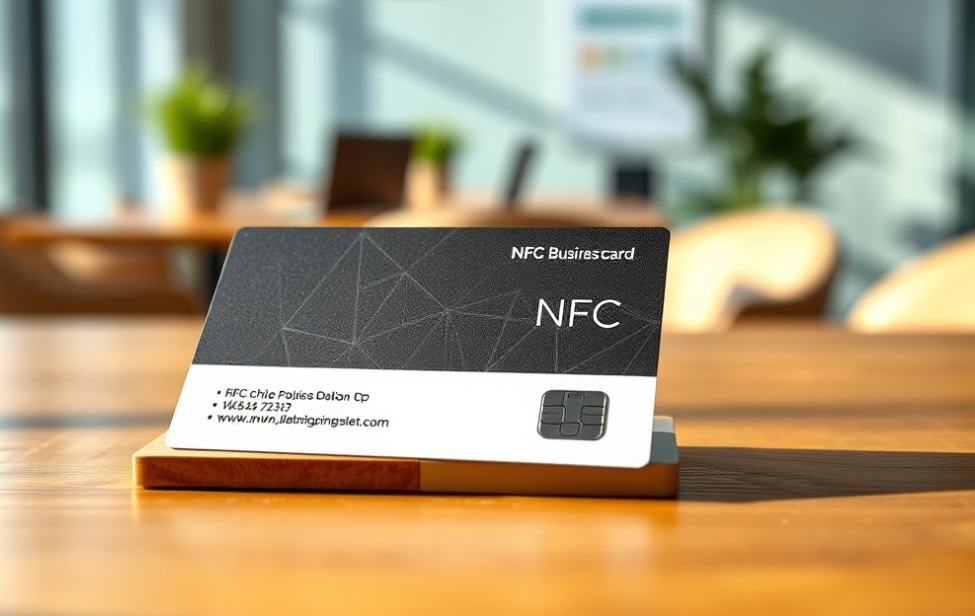
Online Marketplaces
You can buy NFC business cards and tags online. Shopping online gives you many choices. You can compare prices and features easily. Many websites let you design your card. You can upload your logo and pick colors you like. Some sites give you a dashboard to manage your info. You can check stats and update your profile with social links. You do not pay monthly fees. You often get free help and design checks.
Here are some popular online places for NFC business cards:
| Marketplace | Description | Customization Options |
|---|---|---|
| Tagstand | Sells many custom NFC tags for businesses. | Custom Tag Builder, Custom Orders, Bulk Quantities, etc. |
Many people like these services. For example:
- “The card starts conversations and is worth the price.” (Rated 4 out of 5)
- “Great service and beautiful cards.” (Rated 5 out of 5)
- “Top quality! I highly recommend!” (Rated 5 out of 5)
You can read reviews before you buy. This helps you choose a trusted seller and get the best card for you.
Specialty Tech Stores
You can also buy NFC business cards at tech stores. These stores sell gadgets and smart products. You might find them at the mall or in big cities. Shopping in person lets you see and touch the cards. You can ask questions and get advice from staff.
Here is what you get from tech stores:
| Advantages of NFC Business Cards | Disadvantages of NFC Business Cards |
|---|---|
| Easy networking | Higher costs |
| More ways to customize | Some phones may not work |
| Good for the environment | Possible security risks |
| Share info fast with NFC |
Tech stores often offer more custom choices. They can help with special requests. You might pay more, but you get expert help and quick answers.
What to Look For When Buying
When you shop for NFC business cards, check for good quality. Here are some things to look for:
| Feature | Description |
|---|---|
| Strong plastic material | Lasts longer and does not break easily |
| Cool and modern design | Looks professional and gets attention |
| Very popular | Shows you use trusted new technology |
- Pick cards made from strong plastic. They last longer and look nice.
- Choose a design that matches your style and brand. A modern card helps you stand out.
- Make sure the card works with most phones. Ask about compatibility before you buy.
- Look for sellers who let you update your info and add social links easily.
- See if you get a dashboard to manage your card online.
Tip: Always read reviews and ask questions before you buy. This helps you avoid problems and get a card you will like.
With these tips, you can find the best NFC business card or tag for you. Shopping smart helps you make a great impression when you share your info.
Cost Considerations
When you start looking at NFC business cards, you might notice the price is higher than regular paper cards. This can surprise you, especially if you want cards for your whole team. Here’s what you need to know about the costs and how they stack up over time.
“The first issue I encountered was the cost associated with them. NFC cards are often expensive to produce compared to standard paper or plastic business cards, so if you have a large network of contacts that need their own card, the costs can add up quickly,” said Omer Usanmaz, CEO and Co-Founder of Qooper.
You pay more upfront for NFC cards. The price for a single custom NFC business card usually ranges from $5 to $30, depending on the material, design, and features. If you want a metal card or a card with special printing, the price goes up. Bulk orders can lower the price per card, but the first payment still feels bigger than buying a stack of paper cards.
Let’s break down how the costs compare over time:
- Paper business cards cost less at first, but you pay again every time you update your info or hire new staff.
- Most businesses spend about $60 per year for each employee on paper cards. This includes printing, design, and shipping.
- If you use digital business cards, each share costs about $0.10. You can save more than 26% on business card costs by switching to digital.
- NFC business cards cost more at the start, but you do not need to reprint them. You just update your info online.
- NFC cards last longer. You do not have to worry about them getting bent or lost as easily as paper cards.
You also get extra value from NFC cards. They let you update your contact details anytime. You can add links, social media, and even track how many people tap your card. These features help you get more out of each card.
Here are some things that can change the price of your NFC business card:
| Factor | How It Affects Cost |
|---|---|
| Material | Metal and premium plastics cost more |
| Printing | Custom colors, logos, and finishes add up |
| Chip Type | Advanced chips (like NTAG216) cost more |
| Order Size | Bigger orders usually get discounts |
| Extra Features | QR codes, analytics, and apps may add cost |
If you want to save money, start with a basic NFC card. You can always upgrade later. Think about how often you change your info. If you update your details a lot, NFC cards can save you money in the long run.
Tip: NFC business cards are an investment. You pay more at first, but you save time and money every time you update your info or meet someone new.
You can create custom nfc business cards in just a few steps:
- Buy an NFC card.
- Make your digital business card.
- Use an app to write your info onto the card.
- Add a QR code for older phones.
- Print your design and test it.
These cards help you share details fast, update info anytime, and look modern. They also help the planet. For example, switching to digital cards could save millions of trees and cut down on pollution. Try making your own and see how easy networking can be!
| Eco Benefit | Impact |
|---|---|
| Trees Saved | 6 million per year in the U.S. |
| Less Wastewater | 161 billion liters reduced |
| Lower Emissions | 1513 lbs less greenhouse gas per ton paper |
| Energy Saved | 17.3 billion kWh annually |
FAQs on Custom NFC Business Card
How do I update my NFC business card info?
You just log in to your card’s app or website. Change your details there. The next time someone taps your card, they see your new info. No need to buy a new card!
Will my NFC card work with all smartphones?
Most modern phones support NFC. iPhones from 7 and up, and most Androids work. If someone’s phone does not have NFC, they can scan your QR code instead.
Can I add my social media links to my NFC card?
Yes! You can add LinkedIn, Instagram, Facebook, or any other link. Just include them when you set up your digital card. People can tap and connect with you right away.
Is it safe to share my contact info with NFC cards?
NFC works only at close range, so it’s pretty safe. You control what info you share. Don’t put sensitive data on your card. Always check your privacy settings in the app.
What if my card stops working?
Try these steps:
- Check if your phone’s NFC is on.
- Test with another phone.
- Make sure the card is not scratched or damaged.
If it still does not work, contact your card provider for help.
Can I reuse my NFC card if I change jobs?
Absolutely! Just update your info in the app or online dashboard. Your card will show your new details the next time you share it.
Do I need special software to write info to my NFC card?
You only need a free NFC writing app, like NFC Tools or TagWriter. These apps work on most smartphones. You do not need a computer or any special equipment.
How long does an NFC business card last?
NFC cards last for years if you take care of them. They do not wear out like paper cards. Keep your card clean and avoid bending it for the best results.


