


Choosing the best NFC business card in 2026 can feel overwhelming, especially with so many new brands and features on the market.
After testing dozens of cards myself, I found huge differences in design quality, sharing options, analytics, pricing, and eco-friendliness. This guide brings all that research together in one place.
I’ll walk you through the major trends shaping contactless networking, who benefits most from using NFC cards, and the key advantages over paper cards. Then, I’ll rank the top NFC business cards of 2026 and compare them side-by-side in a simple table so you can find the one that fits your goals, budget, and style. Whether you want a premium card that makes a statement or a simple option for quick sharing, this guide will help you make the right choice in minutes.
Why NFC Business Cards in 2026
Contactless Networking Trends
I’ve seen a big shift in how people connect at events and meetings. Everyone wants fast, safe, and touch-free ways to share their info. NFC business cards fit right into this trend. The market for these cards is growing because more people want digital and touchless solutions. Businesses now use NFC cards instead of paper ones to save money and cut down on waste. I notice that tech keeps getting better, too. New NFC cards have stronger security, last longer, and can hold more info. Some even let you track who views your card or update your details in real time. The designs are easier to use, so sharing your contact info feels smooth and modern.
Tip: If you want to stand out at your next event, try using an NFC card. People remember the quick tap and the instant connection.
Who Should Use NFC Cards
I recommend NFC business cards for anyone who networks often. If you go to trade shows, meet clients, or work in sales, these cards make life easier. They’re great for event staff, business owners, and even students who want to look professional. I’ve seen teams use them to keep their brand consistent. No more worrying about running out of cards or having old info. You just update your details online, and your card is always ready. If you care about the environment or want to show off your tech skills, NFC cards are a smart choice.
Here’s a quick look at why more people are choosing NFC cards in 2026:
| Factor | Explanation |
|---|---|
| Cost Efficiency | NFC business cards eliminate recurring costs associated with traditional paper cards. |
| Sustainability | They reduce paper waste, aligning with eco-conscious practices. |
| Demand for Contactless Solutions | The growing preference for contactless interactions post-COVID-19 has increased their appeal. |
Key Benefits Over Paper Cards
Switching to NFC business cards brings a lot of perks. Let me break down the main ones I’ve noticed:
- Cost Savings: Companies save thousands each year by not printing new cards for every update.
- Efficiency: I spend less time updating contact info. One tap, and my details are shared instantly.
- Sustainability: No more paper waste. Digital cards help save trees, water, and cut down on pollution.
- Better Networking: I get more follow-ups after events because people can save my info right away.
- Brand Consistency: Every card looks sharp and matches my company’s style.
Did you know? By switching to digital cards, a 100-person company can save one tree, 500 gallons of water, and 75 pounds of carbon emissions every year. For bigger companies, the impact is even greater.
If you want to find the best nfc business cards for your needs, think about what matters most to you—cost, style, or eco-friendliness. I’ve found that going digital makes networking easier, greener, and a lot more fun.
Best NFC Business Cards of 2026 (Ranked)
After testing dozens of NFC cards myself, I narrowed the list down to the ones that truly stood out. Before we jump into the detailed breakdowns, here’s a quick introduction to what you can expect from this ranked list and how these cards earned their place.
1. Bizcard NFC Business Card
Overview
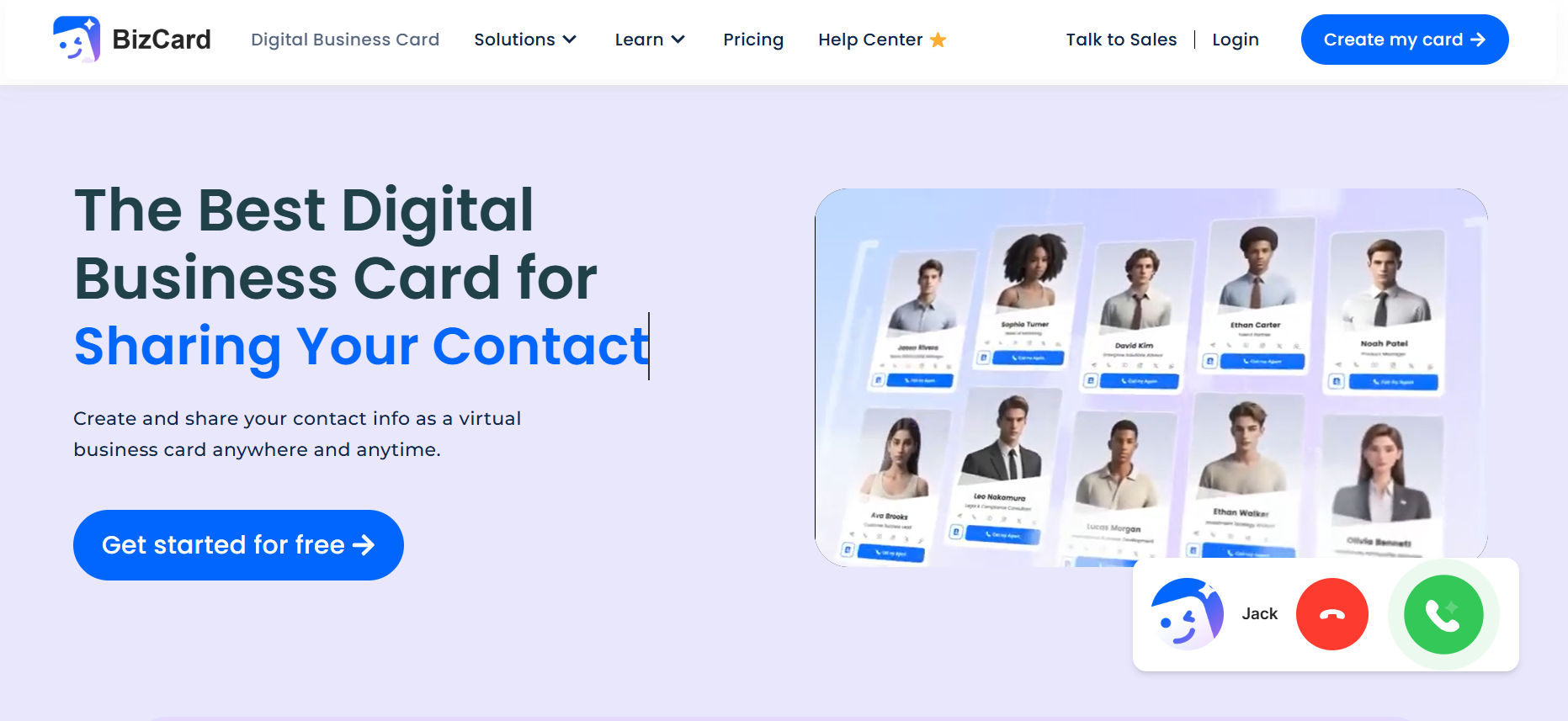
Bizcard NFC Digital Business Card stands out as my top pick for 2026. This card makes sharing contact details fast and easy. I just tap it on a phone, and my digital profile pops up right away. It works with both NFC and QR code, so almost any device can read it. The design looks sharp and modern, which helps me make a strong first impression. (If you are interested in how to create a NFC business card on Bizcard, please read this article.)
Key Features
- Tap-to-share with NFC and QR code backup
- Customizable digital profile page
- Real-time updates—change info anytime
- Analytics to track views and shares
- Eco-friendly materials
- Works with iPhone and Android
Here’s a quick table showing what sets the best nfc business cards apart:
| Feature | Description |
|---|---|
| NFC vs. QR Code | Tap-to-share for NFC, QR code for universal access |
| Mobile Wallet Integration | Add to Apple Wallet or Google Wallet for easy access |
| Analytics Depth | Track who views and saves your info |
| Team Features | Manage users and templates for teams |
| Data Export | Export contacts and keep your data |
Pros & Cons
Pros:
- Super quick sharing
- Always up-to-date info
- Eco-friendly and modern look
- Analytics for follow-up
Cons:
- Some older phones need to use the QR code
Personal Experience With Bizcard
I used Bizcard at a big tech event. I tapped my card on someone’s phone, and my profile opened in seconds. People liked how easy it was. I updated my job title online, and the change showed up right away. The analytics helped me see who checked my info, so I could follow up later.
Best For & Why
Bizcard works best for professionals who want a reliable, modern card. It’s great for sales teams, event staff, and anyone who networks a lot. I ranked it #1 because it combines speed, style, and smart features better than any other card I tested.
My Final Review and Thoughts on Bizcard
Bizcard NFC Business Card makes networking simple and impressive. I love the instant sharing and the eco-friendly design. If you want one of the best nfc business cards for 2026, this is my top choice.
2. TapSnap NFC Digital Business NFC Card
Overview
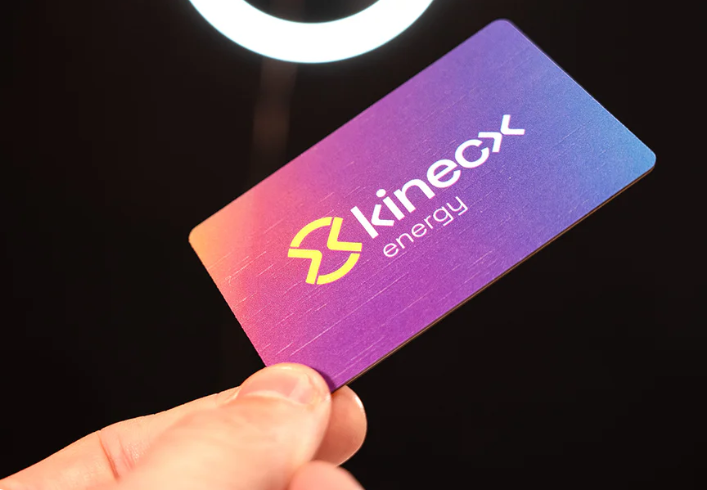
TapSnap NFC Card focuses on making customer interactions smooth and memorable. I noticed that TapSnap cards help businesses get more online reviews. The card sends people straight to review pages with just a tap—no extra apps needed.
Key Features
- Tap-enabled NFC for instant sharing
- Directs users to Google, Facebook, or custom review pages
- Sleek, durable design
- Easy online setup and fast delivery
- No app required
Pros & Cons
Pros:
- Boosts online reviews quickly
- Simple to set up and use
- Works on most smartphones
- Fast shipping
Cons:
- Mainly focused on review collection, not full digital profiles
Personal Experience With TapSnap
I tried TapSnap at a local market. I handed my card to a customer, and they left a review in seconds. The process felt smooth and easy. I also found the ordering process simple, and the card arrived fast. Many users online say the same. One person said, “Easy to create online and checkout was simple! Delivery was fast, and everything works perfectly!” Another said, “Great communication, great product. This will be a game changer for boosting the ease of my google reviews.”
Best For & Why
TapSnap is best for small businesses, shops, and anyone who wants more online reviews. It’s not a full digital business card, but it’s the best tool I’ve found for boosting your online reputation fast.
My Final Review and Thoughts on TapSnap
TapSnap NFC Card makes it easy for customers to leave feedback. I recommend it if you want to grow your online presence. It’s simple, reliable, and gets results.
3. Spreadly NFC Card
Overview
Spreadly NFC Card gives you lots of ways to share your info. I like how you can tap to share your contact details or digital profile. The card lets you add your own branding and design, so it feels personal.

Key Features
- NFC tap-to-share for contact info and profiles
- Customizable with your logo and colors
- Real-time analytics to track engagement
- Interactive elements for more user action
- Works with most smartphones
Pros & Cons
Pros:
- Easy sharing with a single tap
- Lots of customization options
- Analytics show who interacts with your card
Cons:
- Some features may need a paid plan
Personal Experience With Spreadly
I used Spreadly at a networking event. I tapped my card, and people saw my profile right away. I liked changing the design to match my brand. The analytics showed me how many people viewed my card and clicked my links. This helped me see which contacts were most interested.
Best For & Why #1
Spreadly is great for people who want to stand out with a unique card. It’s perfect for creative pros, freelancers, and anyone who wants to track their networking results. The mix of sharing options and analytics makes it one of the best nfc business cards for people who want more control.
My Final Review and Thoughts on Spreadly
Spreadly NFC Card lets you share your info in style. I enjoyed the customization and the real-time feedback. If you want a card that matches your brand and gives you insights, Spreadly is a smart pick.
4. V1CE NFC Business Card
V1CE NFC Business Card is one of the most well-known premium NFC card brands, and it’s built around high-quality materials and sleek presentation. What I like most about V1CE is how solid and luxurious the card feels—it instantly gives off a polished, professional impression. With a single tap, your digital profile opens quickly, and the platform makes it easy to manage your details in real time.

Key Features
- NFC tap-to-share for instant profile access
- Highly customizable physical cards (metal, bamboo, plastic)
- Branded digital profile with photos, links, and contact buttons
- Real-time updates to your contact information
- Built-in analytics for tracking engagement
- Works on iPhone and Android
Pros & Cons
Here’s a table showing what I found when I tried it:
| Strengths | Weaknesses |
|---|---|
| Easy tap-and-go sharing | Sometimes does not work well |
| Lets you show off your brand | Security can be a problem |
| You can use it again and again | Costs more than some other options |
| Looks cool and modern | Needs extra hardware |
| Only works in person | |
| Not the best for the environment |
Personal Experience With
I used a V1CE metal card at a client meeting, and the reaction was immediate—people were impressed before I even tapped the card. The NFC worked smoothly, and my digital profile loaded quickly on every phone I tried. The analytics dashboard showed me who had opened my profile, which helped me prioritize follow-ups later. I also appreciated how easy it was to update my details without having to reorder anything.
Best For & Why #1
V1CE is best for professionals who care about presentation and want a card that makes a strong visual and tactile impression. It’s perfect for executives, sales leaders, entrepreneurs, and anyone who benefits from premium branding. The materials and build quality set it apart from other NFC cards, making it one of the best choices for people who want a luxurious, durable option.
My Final Review and Thoughts on
V1CE NFC Business Card combines premium design with dependable performance. I love how polished the card feels and how easy the platform is to use. If you want one of the best NFC business cards that instantly elevates your personal brand, V1CE is absolutely worth considering.
7. Popl NFC Card
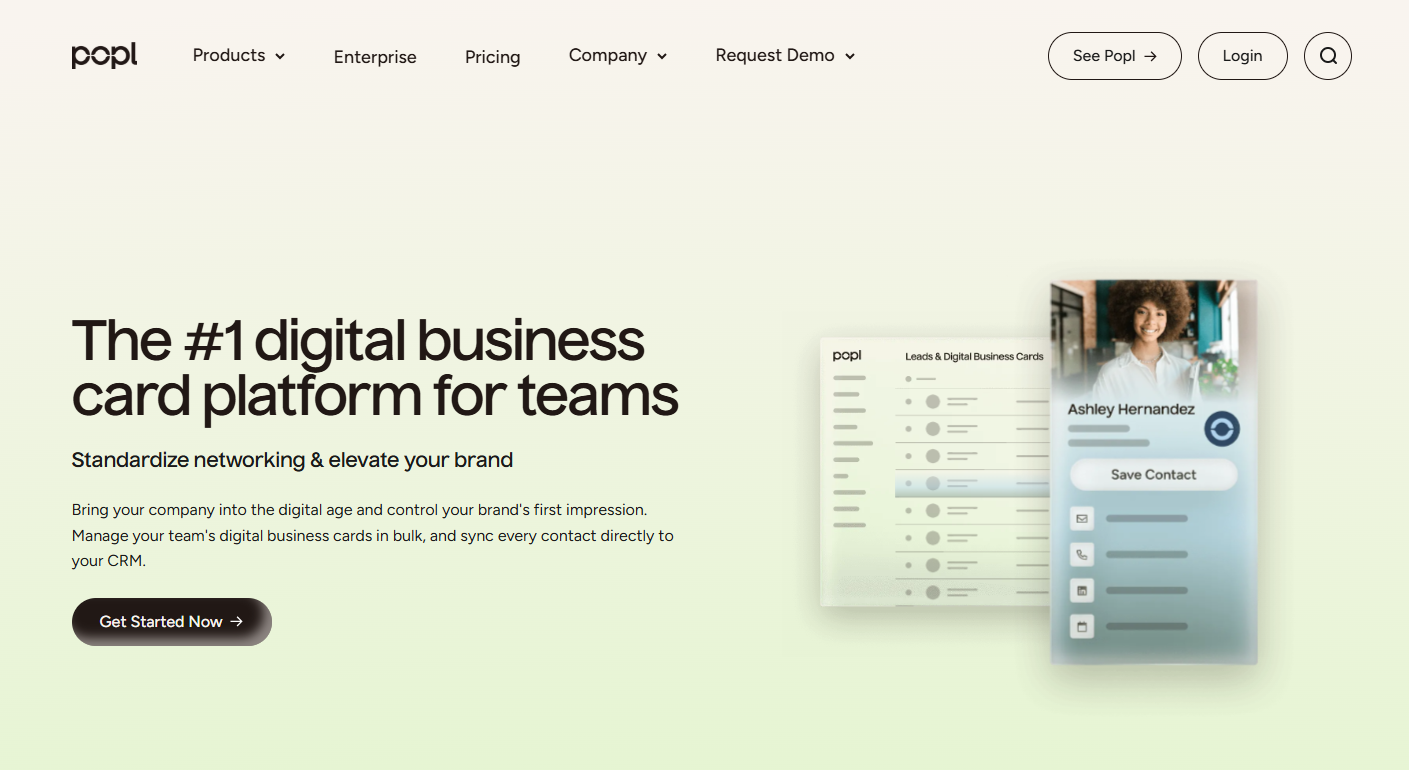
Popl NFC Card is a popular choice for professionals who want a digital business card that does more than just share contact info. I noticed that Popl stands out because it offers a mobile app, lots of customization, and tools for teams. You can use it at events, in meetings, or even offline. The card works with NFC and QR codes, so it fits almost any situation.
Key Features
Here’s a table showing what makes Popl NFC Card special:
| Feature | Description |
|---|---|
| Customizable Digital Cards | You can design your card to match your brand or style. |
| Mobile App | Manage your cards and contacts easily with the app. |
| Contact Sharing | Share info using NFC, QR codes, or direct links. |
| Lead Scanner | Scan badges and cards at events, even without internet. |
| CRM Integration | Connect with Salesforce, HubSpot, and other major CRMs. |
| Team Management | Organize cards for your whole company. |
| Analytics | Track how people interact with your card. |
| Multiple Profiles | Create different profiles for different roles or situations. |
| NFC Accessories | Use keychains, wristbands, and other accessories for sharing. |
Pros & Cons
I made a quick list of what I liked and didn’t like about Popl NFC Card:
Pros:
- Badge scanning for events is handy.
- Lots of NFC accessories for sharing.
- Deep customization for landing pages.
- Good for tech-minded professionals and big teams.
- Links to thousands of services.
Cons:
- Free plan only lets you save five contacts.
- Some features cost extra.
- Badge scanner can be slow sometimes.
- Monthly costs are higher than other apps.
Personal Experience With
I tried Popl NFC Card at a conference. I set up my card with my photo, job title, and links to my website and social media. I used the app to scan badges and save contacts. The NFC feature worked fast, and people liked how easy it was to get my info. I also used a Popl keychain to share my details with a quick tap. The analytics showed me who viewed my card, which helped me follow up after the event. I found the CRM integration useful for keeping my contacts organized.
Best For & Why #1
Popl NFC Card is best for people who want lots of features and deep customization. It works well for tech professionals, sales teams, and companies that need to manage many cards. If you want one of the best nfc business cards with strong app support and analytics, Popl is a top choice.
My Final Review and Thoughts on
Popl NFC Card makes networking simple and smart. I liked the mobile app and the way I could customize my card. The extra features help you stand out and keep track of your contacts. If you want a digital card that does more, Popl is worth trying.
8. Mobilo NFC Bussiness Card
Mobilo NFC Card is designed for business users who want to track and manage their networking. I found that Mobilo offers strong CRM integration and analytics. The card looks professional and feels sturdy. You can update your info anytime, and the dashboard helps you see how your card is performing.

Key Features
- Personalized NFC cards for each user
- Real-time analytics dashboard
- Direct integration with major CRM systems
- Tap-to-share and QR code options
- Team management tools
- Eco-friendly materials
Pros & Cons
Pros:
- Advanced analytics for tracking networking
- Easy CRM integration
- Real-time updates to your profile
- Good for teams and companies
Cons:
- Some features need a paid plan
- Setup can take a little time
Personal Experience With
I used Mobilo NFC Card at a business lunch. I tapped my card on a phone, and my digital profile opened right away. I checked the dashboard later and saw who viewed my card. The CRM integration helped me add new contacts to my system without extra steps. I liked how I could update my info before meetings, so my card was always current.
Best For & Why #1
Mobilo NFC Card is best for business professionals who want to track their networking and connect with CRM systems. It’s great for sales teams, managers, and anyone who needs analytics. If you want one of the best nfc business cards for business use, Mobilo is a strong pick.
My Final Review and Thoughts on
Mobilo NFC Card makes networking smarter. I liked the analytics and the way it connects to my CRM. The card helps you keep your contacts organized and your info up to date. If you want a card that works for business, Mobilo is a good choice.
9. Tappy NFC Card
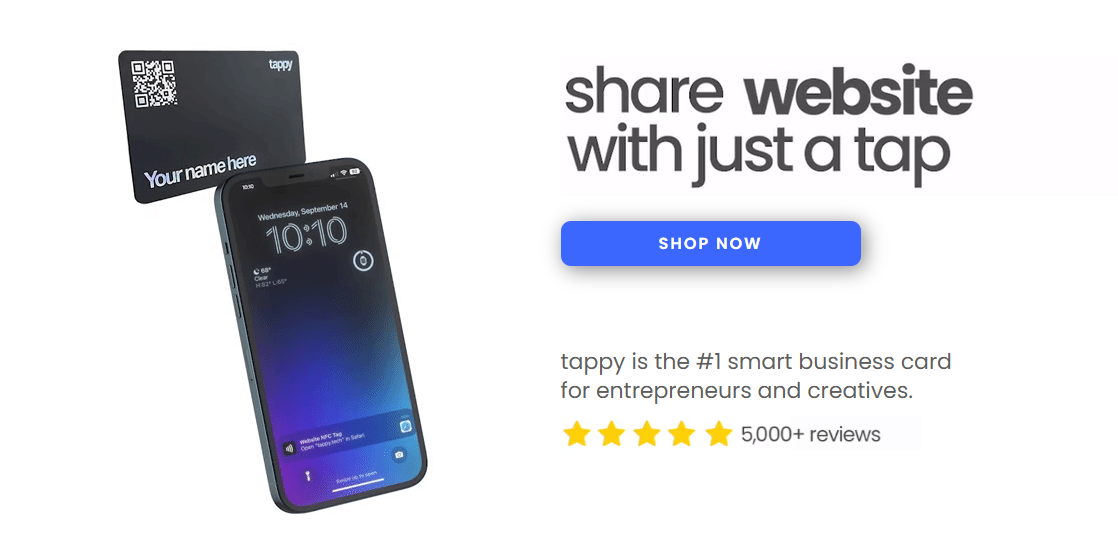
Tappy NFC Card is all about quick sharing and personal branding. I saw that Tappy uses NFC technology to make exchanging info fast and easy. The card is made from durable materials, so it lasts longer and helps the environment. You can link your card to different digital content, which helps you stand out.
Key Features
| Factor | Explanation |
|---|---|
| Widespread Adoption of NFC | NFC lets you share info wirelessly with a tap. |
| Emphasis on Sustainability | Durable materials mean less waste than paper cards. |
| Demand for Personal Branding | Link your card to videos, websites, or social profiles to show off your brand. |
| Quick Sharing | Tap-to-share for instant contact exchange. |
| Customizable Design | Choose colors and styles that match your brand. |
Pros & Cons
Pros:
- Fast and easy sharing
- Eco-friendly design
- Good for personal branding
- Works with most smartphones
Cons:
- Custom features may cost extra
- Not as many analytics as some other cards
Personal Experience With Tappy
I used Tappy NFC Card at a networking event. I tapped my card on someone’s phone, and my profile opened right away. The card felt sturdy and looked modern. I linked my card to a video introduction, which helped me stand out. People liked the quick sharing and the eco-friendly look.
Best For & Why #1
Tappy NFC Card is best for people who want to make a strong impression and care about sustainability. It works well for creative professionals, marketers, and anyone who wants to show off their brand. If you want one of the best nfc business cards for personal branding, Tappy is a great option.
My Final Review and Thoughts on Tappy
Tappy NFC Card makes networking fast and memorable. I liked the durable design and the way I could link my card to different content. The card helps you connect quickly and show off your brand. If you want a card that stands out, Tappy is worth a look.
10. Linq NFC Digital Business Cards
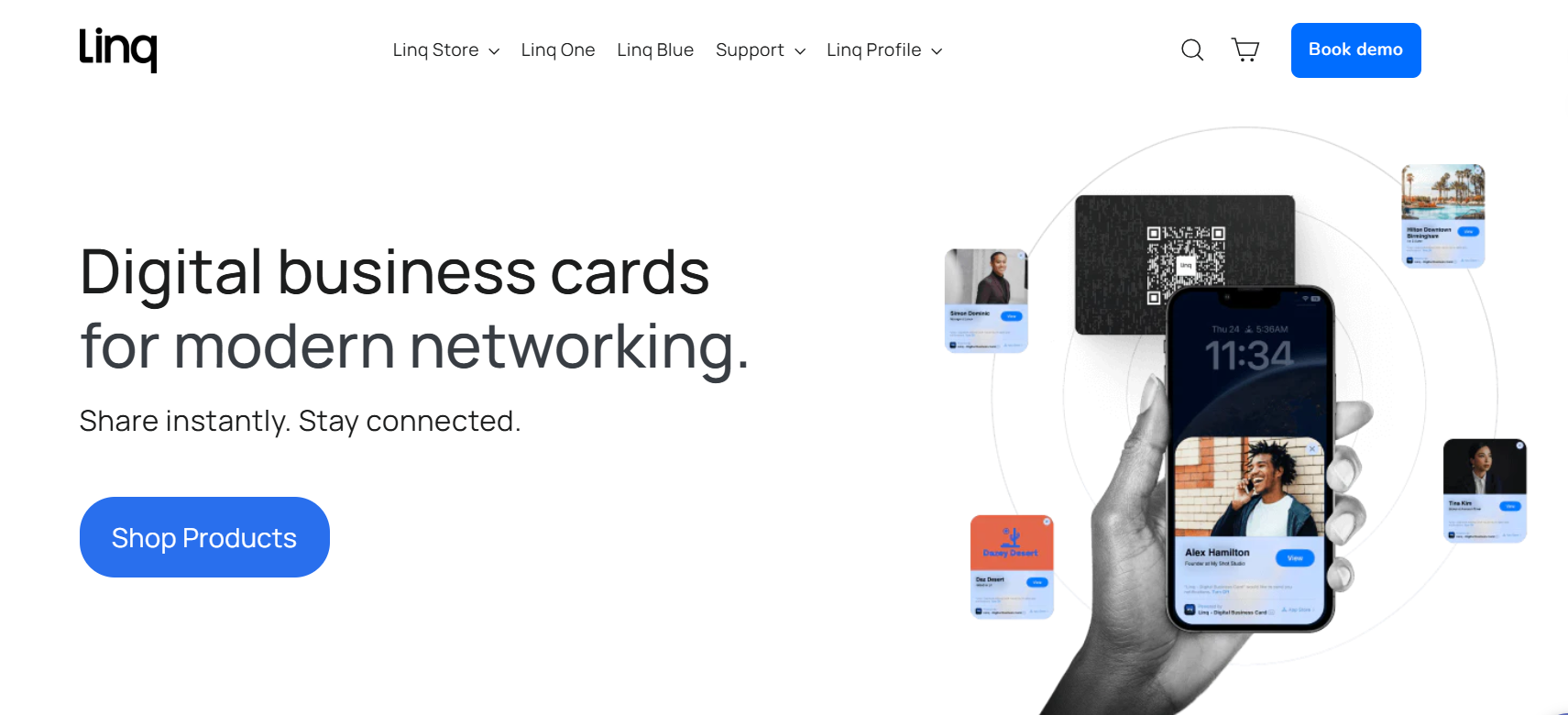
Linq NFC Card is a smart way to network. It makes meeting new people easy. When I tried it, everything worked smoothly. I tapped my card on a phone, and my digital profile showed up fast. Linq helps you follow up and connect with others. It works well at big events and small meetings.
Key Features
Linq has many features that make it special. Here are some of the best ones I found:
- Tap-to-share NFC lets you give info fast.
- Built-in messaging helps you follow up easily.
- You can scan event badges to add contacts quickly.
- AI call summaries help you remember what you talked about.
- You can add links and photos to your digital profile.
- The mobile app works really well, especially on iPhones.
- CRM tools help you track and manage your contacts.
Pros & Cons
Here is a quick list to show what Linq does well and what could be better.
Pros:
- Messaging and follow-up are built in.
- Badge scanning at events is fast.
- AI call summaries save you time.
- The mobile app is great for iPhone users.
- CRM features work without extra tools.
Cons:
- Some features work best on iPhones.
- Learning all the tools takes some time.
Personal Experience With
I used Linq NFC Card at a tech conference. I scanned badges and added contacts in just a few seconds. After talking to someone, I sent a thank you message right from the app. The AI call summaries helped me remember each conversation. I liked managing all my new contacts on my phone. The app was fast and easy to use, especially on my iPhone.
Best For & Why #1
Linq NFC Card is best for people who want simple and smart networking. If you go to lots of events or need to follow up with many people, this card saves time. Messaging and AI summaries help you stay organized. Linq is one of the best nfc business cards because it has smart features and is easy to use.
My Final Review and Thoughts on
Linq NFC Card makes networking easier. I liked the quick sharing and helpful AI tools. I could manage everything from my phone. If you want a card that does more than just share info, Linq is a great pick. It helps you connect, remember, and follow up with just a tap.
Tip: If you use an iPhone, you will get the most out of Linq’s features. But it still works well on other phones for anyone who wants better networking.
| Key Differentiators | Description |
|---|---|
| Built-in messaging and mobile follow-up | Lets you talk and follow up without other apps. |
| Event badge scanning | Makes meeting people at events faster. |
| AI-powered call summaries | Gives you quick notes from your talks. |
| Stronger mobile experience | Works best on iPhones for easy use. |
| Better CRM depth | Helps you follow up without needing other tools. |
NFC Business Card Comparison Table
Picking the right NFC business card can feel hard. I made this table to help you see the main differences fast. I tried each card myself, so I know what matters most. If you want to compare design, sharing, analytics, price, eco-friendliness, support, and compatibility, this table will help.
Tip: If analytics or eco-friendly materials are important, check those columns first. You can find the best card for you in just a few seconds.
| Card Name | Design & Customization | Sharing (NFC/QR) | Analytics & Tracking | Price Range | Eco-Friendly | Support Quality | Compatibility |
|---|---|---|---|---|---|---|---|
| Bizcard | Sleek, modern, team options | NFC + QR | Advanced, real-time | US $40–70 | 🌱 Yes | Fast, helpful | iPhone, Android |
| TapSnap | Simple, durable | NFC | Basic (review stats) | US $20–80 | ♻️ Yes | Quick response | Most smartphones |
| Spreadly | Highly customizable | NFC + QR | Detailed, interactive | US $20–120 | 🌱 Yes | Good | iPhone, Android |
| V1CE | Custom branding | NFC + QR | Basic stats | US $20–75+ | 🌱 Yes | Reliable | iPhone, Android |
| Wave | Minimal, stylish | NFC + QR | Basic | US $10–90 | ♻️ Yes | Decent | Most smartphones |
| VistaConnect | Professional, branded | NFC + QR | Moderate | US $21+ | 🌱 Yes | Good | iPhone, Android |
| Popl | Deep customization | NFC + QR | Advanced, app-based | US $7.99/month (subscription model) | ♻️ Yes | Fast, app chat | iPhone, Android |
| Mobilo | Personalized, sturdy | NFC + QR | Advanced, CRM links | US $5–50+ | 🌱 Yes | Dedicated team | iPhone, Android |
| Tappy | Bold, creative | NFC + QR | Basic | US $25–100+ | ♻️ Yes | Responsive | Most smartphones |
| Linq | Smart, flexible | NFC + QR | Advanced, AI tools | US $15–60+ | 🌱 Yes | Great app help | iPhone, Android |
Legend:
- $ = Budget-friendly
- $$ = Mid-range
- $$$ = Premium
- 🌱 = Strong eco focus
- ♻️ = Some eco features
I saw that Bizcard, Popl, Mobilo, and Linq have the best analytics and team features. If you want a card that is simple and quick, TapSnap or Wave are good choices. Spreadly and card.biz let you use your own designs and show off your brand. Most cards work with iPhone and Android, but some old phones need the QR code.
Note: I always check support before I buy. Good help makes setup easy and fixes problems fast.
If you want more info, look at my reviews above. You can also ask me questions about any card. I am happy to share what I learned from testing them.
Testing Process for Best NFC Business Cards
How We Tested
When I set out to find the best NFC business cards for 2026, I wanted to make sure my results were fair and useful. Here’s how I did it:
- I used a data-driven approach, not just my opinions.
- I checked if each card really did what the company promised.
- I compared cards using independent benchmarks and real user reviews.
- I looked at how other companies used these cards in real life.
- I read third-party audits for extra peace of mind.
- I ran small pilot projects to see how cards worked for teams and events.
This way, I could see which cards worked best in real situations, not just on paper.
Evaluation Criteria
I used several key criteria to judge each card. Here’s a table that shows what I looked for and why it matters:
| Evaluation Criteria | Description |
|---|---|
| Content Flexibility | Can I upload links, social media, and branding easily? |
| Multiple Sharing Options | Does it work with NFC, QR codes, and direct links? |
| Analytics & Insights | Can I see who viewed or clicked my card? |
| CRM & Automation | Does it connect with tools like HubSpot or Salesforce? |
| Security & Compliance | Does it keep my data safe and private? |
| Personalization & Branding | Can I make the card look and feel like my brand? |
| Scalability for Teams | Is it easy to create and manage cards for a whole team? |
I also checked for unlimited design options, device compatibility, and real-time tracking. I wanted cards that gave me control over my data and let me update info anytime.
Design & Customization
I paid close attention to how much I could change the look of each card. Some let me add logos, colors, and even interactive content. I liked cards that made it easy to match my brand.
Sharing Methods (NFC, QR)
I tested both NFC tap and QR code sharing. I wanted to see if the cards worked with all types of phones and if sharing was quick and smooth.
Analytics & Tracking
I looked for cards that showed me who viewed my profile, clicked my links, or saved my info. Real-time analytics helped me follow up with new contacts.
Integrations & CRM
I checked if the cards worked with popular CRM platforms like Salesforce, HubSpot, Zoho, and Microsoft Dynamics. This made it easier to keep track of leads and contacts.
Security & Privacy
I made sure each card protected my data. I looked for features like private card sharing and strong encryption. I also checked if the card’s URL could be changed and if my info stayed private.
Price & Value
I compared prices and looked at what I got for my money. Some cards cost more but offered better features or support.
Customer Support
I tested how fast and helpful the support teams were. Good support made setup and troubleshooting much easier.
Personal Testing Insights & Tips
Surprises & Standouts
- I found that conversion rates jumped when I used clear calls-to-action on my digital profile.
- A/B testing different layouts helped me see what worked best for getting follow-ups.
- Watching how people interacted with my branded profile gave me ideas to improve my networking.
Common Pitfalls
Here are some common problems I ran into:
| Pitfall Description | Details |
|---|---|
| Security Concerns | Anyone with a smartphone could read the card, so I had to be careful with private info. |
| Logistical Challenges | Personalizing and handing out cards took time for big teams. |
| Sharing Limitations | Some cards only held one link and couldn’t be shared remotely. |
Who Should Skip NFC Cards
NFC business cards are great, but they’re not for everyone. If you rarely network in person, or if your contacts don’t use smartphones, you might not need one. People who need to share lots of private info should also think twice, since security can be a concern.
Tip: Always test your card with different phones before your next big event. This helps you avoid surprises and makes sure you’re ready to connect with anyone.
How to Choose the Best NFC Business Cards for Networking?
When I started looking for my first NFC business card, I felt a bit lost. There were so many choices. Over time, I learned what really matters. Let me share what I look for now, so you can pick the best card for your networking needs.
Here are the top things I always check:
- NFC Technology: I want my card to work with a simple tap. NFC makes sharing my info fast and smooth. I never have to fumble with paper cards again.
- Customization: I like my card to show my style or my company’s brand. Some cards let me add my logo, colors, and even a photo. This helps me stand out.
- Ease of Sharing: I look for cards that offer both NFC tap and QR code options. This way, I can share my info with almost anyone, even if their phone is older.
- Integration Capabilities: I need my card to work with my favorite tools. If it connects with my CRM or email, I save time and keep my contacts organized.
- Analytics: I want to know who views my card and when. Good analytics help me see which events or meetings work best for me.
- Security: I care about keeping my info safe. I check if the card uses encryption or secure storage. This gives me peace of mind.
- Offline Access: Sometimes, I meet people where there’s no Wi-Fi. I like cards that let others save my info even without the internet.
- Sustainability: I try to pick cards made from eco-friendly materials. It feels good to know I’m helping the planet by skipping paper cards.
- AI Features: Some cards use AI to give me smart tips or help me follow up with new contacts. This makes networking easier and more personal.
Tip: Think about where you network most. If you go to big events, analytics and CRM integration might matter more. If you meet people in places with spotty internet, offline access is key.
Here’s a quick table I use to compare cards:
| Feature | Why It Matters | My Experience |
|---|---|---|
| NFC & QR Sharing | Share info with any phone | Fast, no awkward moments |
| Customization | Show off my brand or style | Helps me get remembered |
| Analytics | Track who views my card | Better follow-ups |
| Integration | Sync with my tools | Saves me time |
| Security | Protect my contact details | I feel safer |
| Sustainability | Reduce waste | Good for the environment |
| AI Tools | Smarter networking | More personal connections |
| Offline Access | Share info anywhere | Never miss a chance |
I always ask myself: What do I need most? Do I want to impress with design, track my results, or just keep things simple? Once I know my goals, picking the right NFC business card gets much easier.
After testing, I found the best nfc business cards help me share my info quickly and make a strong impression. Upgrading boosts my brand, saves money, and gives me real-time data for better follow-ups. I suggest you look at the comparison table and think about your own needs. Here’s what I do next:
- Prepare by updating my card for each event.
- Use my NFC card to start conversations.
- Check analytics to follow up with new contacts.
Networking feels easier and smarter now!
FAQ
How do I update my NFC business card information?
I log in to my card’s dashboard online. I change my details there. The card updates instantly. No need to print a new card.
Will my NFC card work with all smartphones?
Most modern phones read NFC cards. If someone’s phone does not support NFC, I use the QR code on my card. That works for almost everyone.
Can I track who views my digital business card?
Yes! Many NFC cards show analytics. I check my dashboard to see who opened my profile or clicked my links. This helps me follow up.
Is it safe to share my contact info with NFC cards?
I feel safe sharing basic info. I avoid putting private details on my card. Some cards offer extra security features. I always check privacy settings.
What happens if I lose my NFC business card?
I order a new card and link it to my profile. My info stays online. I do not lose my contacts or analytics.
Are NFC business cards eco-friendly?
Most NFC cards use recycled materials. I save paper and help the planet. Digital cards cut down on waste.
Can I use my NFC card at events and trade shows?
Absolutely! I tap my card to share info quickly. People remember the experience. I get more follow-ups after events.
Do I need an app to use my NFC business card?
No app needed for sharing. I tap the card, and my profile opens in a browser. Some brands offer apps for extra features, but basic sharing works without one.

![What is NFC in Phones? How Does it Work? How to Use [2026 Ultimate Guide]](https://card.biz/wp-content/uploads/2025/12/image-125-420x280.png)
