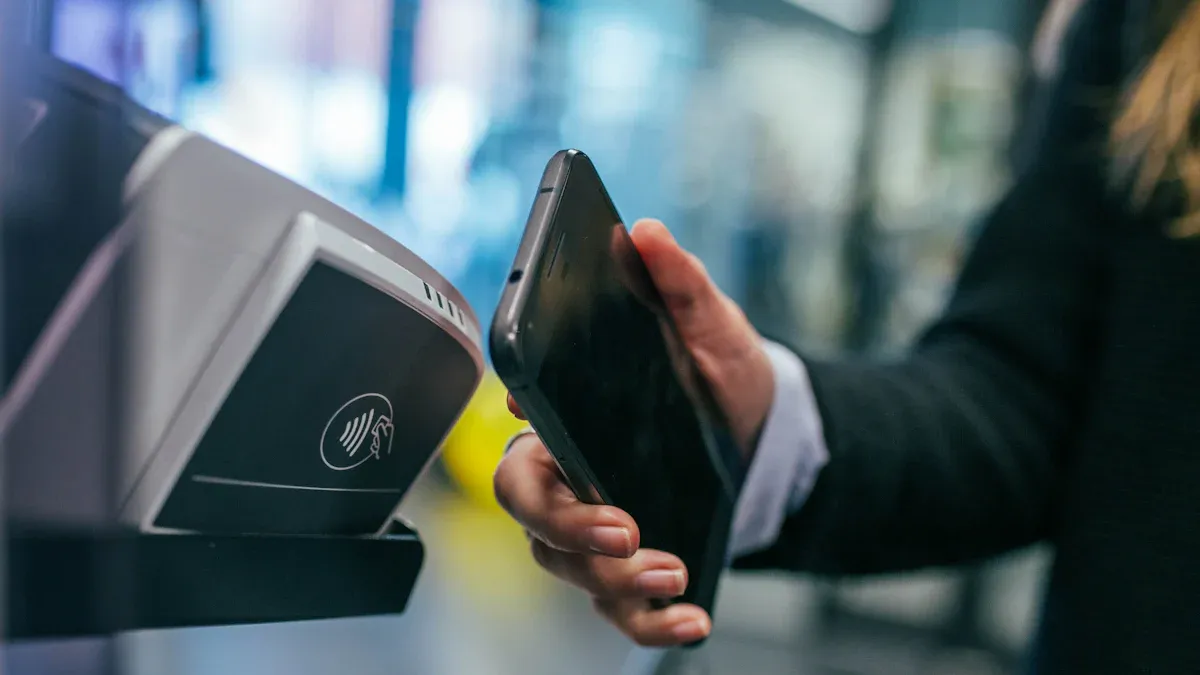
A tap business card allows you to instantly share your contact information by simply tapping your card to a smartphone. With a tap business card, you eliminate the need for printing or carrying around piles of traditional paper cards. Setting up your tap business card takes just a few minutes and offers a sleek, modern way to connect with others. Plus, you’re making an eco-friendly choice—switching to a tap business card helps save millions of trees and reduces waste.
- You avoid paper waste and never need to reprint cards with a tap business card.
- You can update your information anytime on your tap business card, so there’s no need to throw away outdated cards.
- Share your details as often as you like using just one tap business card.
Tap Business Card Basics
What Is a Tap Business Card
You might wonder what makes a tap business card different from the paper cards you see everywhere. A tap business card is a type of digital business card that uses nfc technology to share your details. With just a tap, you can send your contact information to someone’s smartphone. This card combines the feel of a real card with the power of digital business cards. People often call it a tap card, nfc card, or electronic card. All these names point to the same thing—a fast and easy way to connect.
- A tap business card lets you share your digital profile with a simple tap.
- You don’t need to hand out paper cards or worry about running out.
- You can update your info anytime, so your contacts always have the latest details.
Tip: You only need one tap business card for all your networking. No more stacks of paper cards in your bag!
How It Works
Nfc technology makes tap business cards possible. When you tap your card to a smartphone, the two devices exchange data wirelessly. You don’t need to type anything or download an app. The tap business card sends your contact information instantly. This makes networking quick and smooth.
You help the planet, too. Tap business cards cut down on paper waste and save trees. You also avoid the hassle of reprinting cards every time your job or phone number changes. Many professionals now use tap business cards because they are modern, simple, and eco-friendly.
If you want to make a great first impression and keep your info up to date, a tap business card is a smart choice.
Choosing Your Tap Business Card

Key Features
Choosing the best tap business card is important for networking. You want a card that helps people remember you. Some brands, like TAPiTAG, V1CE, Tap, and Tapt, have different things to offer. TAPiTAG is easy to set up and has good digital tools. V1CE uses nice materials but does not have all digital features. Tap is simple but does not work with CRM, which helps with networking. Tapt has team options but can be hard to use.
When picking a tap business card, look for one that works well and is flexible. This helps you make a good first impression. Here are some things to look for:
| Feature | Description |
|---|---|
| Platform Selection | Pick companies that let you change your card and see how it is used. |
| Design | Choose cards that fit your brand’s colors and look. |
| Content Accuracy | Make sure your contact details are always correct. |
| Interactive Features | Find cards with vCard downloads and links to your work or booking pages. |
| User Experience | Try your card on many devices to make sure it works fast and easy. |
Tip: A good tap business card company helps you keep your card looking new and professional.
Compatibility
You want your tap business card to work with many phones. Most tap business cards use nfc technology, which works with almost all smartphones. If you have an iPhone XR or newer, or most Android phones, you can use it. About 90% of Android phones have nfc technology. If someone’s phone does not have NFC, some cards, like Mobilo, have a QR code. This lets people scan your card easily. You will not miss a chance to share your contact info.
Customization
Your tap business card should show your style and brand. You can pick from plastic, steel, or brass cards. Metal cards last longer and look cool. Plastic cards are light and strong. Here is a quick look at how long each material lasts:
| Material | Durability |
|---|---|
| Plastic | 5-7 years |
| Metal | 10+ years |
You can add your logo, pick colors, and use a profile photo. Some cards let you put your logo on the front and a QR code on the back. Make sure your card is easy to read, even if it is small. Customizing your tap business card helps you make digital business cards that fit your brand and help you network better.
Note: Metal business cards do not bend, rip, or get dirty, so they always look nice and help you make a good first impression.
Setting Up Your Digital Business Card
Getting your digital business card ready is easier than you might think. You can make a great first impression by following a few simple steps. Let’s walk through the process together so you can start sharing your details with just a tap.
Design Tips
You want your card to look sharp and feel like it belongs to you. Good design helps people remember you and makes contact sharing smooth. Here are some design principles you should keep in mind:
| Design Principle | Description |
|---|---|
| Simplicity and Clarity | Show only the most relevant information. Don’t crowd your card. |
| Brand Consistency | Use your logo, brand colors, and fonts for a professional look. |
| Interactive Features | Add clickable links to your website or social media for client engagement. |
| Visual Appeal | Pick colors and fonts that look good together and are easy to read. |
| NFC Integration | Make sure your card supports tap-to-share functionality. |
| Adaptability Across Devices | Your card should work on phones, tablets, and computers. |
| QR Code Integration | Add a QR code for people who can’t use NFC technology. |
| Regular Updates | Keep your info fresh so your contacts always have the latest details. |
Tip: If you run a small business, a custom branded nfc card can help you stand out and show off your brand’s style.
Linking Information
You want your digital business card to do more than just show your name. It should help people connect with you in different ways. Here’s what you should link for effective networking:
- Essential contact information (phone, email, address)
- Links to all your social media profiles and website
- A brief professional summary or your key specialties
- Your online portfolio or YouTube channel if you have one
- Multimedia content like photos or videos
- Customization options for your brand
- QR code for easy scanning
- Extra contact options for different situations
Note: The more relevant information you add, the easier it is for people to reach you and learn about your work.
Activation Steps
You can set up your tap business card in just a few minutes. Here’s a step-by-step guide to help you get started:
- Download the app for your card (like Tapt) from the App Store or Google Play.
- Open the app and tap your card to your phone, or scan the QR code.
- Follow the prompts to link your digital profile and activate your card.
- If you prefer, you can use a web browser. Tap or scan your card, and the setup page will open automatically.
- For more control, log in to your card’s dashboard. Go to the Products tab, click Activate Products, and enter your activation code.
- Once you see the Activate button turn purple, click it to finish. Your virtual business card is now ready to use.
Tip: If you have trouble, check for dirt or damage on your card. Make sure you followed all the steps. If you still have issues, contact support for help.
Testing
You want to make sure your tap business card works before you start sharing it. Here’s how you can test it:
- Try your card on different phones and operating systems to check compatibility.
- Tap your card and see if the links load quickly and work as expected.
- Ask a friend or coworker to test your card and give feedback on the user experience.
- Double-check that your NFC settings are on and your card details show up correctly.
- Make sure your tap-to-share functionality works every time.
Pro Tip: Test your card often, especially after you update your info. This helps you avoid surprises and keeps your card working on every ideal platform.
With these steps, you can set up a digital business card that looks great, works everywhere, and helps you connect with new people. You’ll find that a tap business card makes contact sharing easy and helps you build strong connections for your business.
Using Your Tap Business Card
Sharing Etiquette
When you share your tap business card, you want to make a good impression. Start by waiting until someone asks for your contact information or when it feels right in the conversation. Always use your right hand or both hands to present your card, especially in formal settings. Treat every card with respect. If you receive a card, take a moment to look at it and say something positive.
Here are some tips for sharing your card at events:
- Personalize your message. Say something friendly or mention what you talked about.
- Make your QR code easy to find. Let the other person scan it if they prefer.
- Follow up after the event. Send a thank-you email or connect on LinkedIn.
In some countries, like Korea, you should stand and use both hands when exchanging cards. In India, give your card in order of seniority. In the Middle East, never use your left hand.
A clean card case helps keep your card looking professional. Always bring more cards than you think you’ll need.
Networking Tips
A tap business card makes business networking simple and fast. You can share your details with just a tap or scan. This helps you connect with more people in less time. Use nfc technology to make contact sharing smooth and impressive.
Check out these strategies for effective networking:
| Strategy | How It Helps You Connect |
|---|---|
| Efficient Sharing | Exchange details quickly with a tap or scan. |
| Contact Management | Sync your new contacts with your CRM to keep track of everyone you meet. |
| Lead Capture | Gather info from new contacts and turn them into leads. |
| Automated Follow Up | Send your details by email to keep the conversation going. |
Keep your contact information up to date. Add your role, phone, email, LinkedIn, and website. A short bio helps others remember you.
Keeping Info Updated
You want your tap business card to always show the right details. Update your info as soon as something changes. NFC technology lets you do this instantly, so you never have to worry about old details. Younger professionals love the modern look and easy updates.
- Update your card every time you change jobs, phone numbers, or emails.
- Check your links often to make sure they work.
- Refresh your photo and bio to match your current role.
Staying current helps you build trust and keeps your business networking strong.
Troubleshooting
Common Issues
You might run into a few bumps when using your tap business card. Don’t worry—most problems have simple fixes. Here are some common issues you could face:
- NFC cards only hold one digital card or link at a time. If you want to share different profiles, you’ll need more than one card.
- Tap cards work best for in-person meetings. You can’t use NFC for remote sharing, so you’ll need another way to send your info.
- Not all smartphones support NFC. Some older phones or certain models might not read your card.
- Sometimes, tapping your card doesn’t work right away. You may need to reposition the card a few times to find the phone’s “sweet spot.”
- If your card fails to connect often, it can waste time and make you look less professional.
Tip: If NFC isn’t working, try using the QR code on your card. QR codes work with almost every smartphone and don’t need physical contact. They’re quick and reliable.
Here are a few quick fixes:
- Make sure the colored side of your card faces the phone when you tap.
- Don’t worry about magnets in phone cases. NFC works fine even with them.
- Always test your card before important meetings.
Security Tips
Keeping your information safe is important. Tap business cards use NFC, which can have some risks. Let’s look at what you should watch out for and how you can protect yourself:
| Security Risk | Description |
|---|---|
| Unauthorized access | Someone nearby with an NFC reader could grab your info without you knowing. |
| Insufficient encryption | Many cards don’t use strong encryption, so hackers might get your data. |
| Data tampering risk | Hackers could change your card’s info and send people to fake or harmful sites. |
| Lost or stolen cards | If you lose your card, someone else could use it to get your details. |
You can keep your digital business card safe by using these protection measures:
| Measure | Description |
|---|---|
| Encryption | Good cards scramble your info so only the right people can read it. |
| Access Control | Only people you allow can see or download your card. |
| Secure Storage | Your card info should live on secure servers with strong firewalls. |
| Compliance | Pick companies that update their security rules often to stay safe. |
Note: You can add passwords or use fingerprint unlock for extra safety. Always choose a card provider that cares about security.
If you follow these tips, you’ll keep your tap business card working smoothly and your information protected. 😊
You can make meeting new people easy with a tap business card. Here are some great reasons to use one:
| Benefit | Description |
|---|---|
| Instant Sharing | Share your info fast with a tap. You do not need paper cards. |
| Eco-Friendly | Help the earth by using less paper and making less trash. |
| Memorable & Innovative | Stand out and show you know about new technology. |
| Dynamic Information | Change your details anytime, so your info is always right. |
| Enhanced Functionality | Add videos and links to wow people you meet. |
A lot of people like how simple digital cards are to set up and use. Why not give one a try? You will save time, help the planet, and make every meeting matter. Start tapping and see how digital cards can help your career! 🚀
FAQ
How do I update my tap business card information?
You can log in to your card provider’s website or app. Edit your details and save. Your card will share the new info right away. No need to buy a new card!
What if someone’s phone doesn’t support NFC?
No worries! Most tap business cards have a QR code. The other person can scan it with their camera to get your contact info.
Can I use my tap business card for multiple businesses?
You can link different profiles if your provider allows it. Some cards let you switch between business and personal info. Check your provider’s features before you buy.
Is my information safe when I use a tap business card?
| Security Tip | What You Can Do |
|---|---|
| Use strong passwords | Protect your account |
| Update info often | Remove old or unused details |
| Choose trusted brands | Pick cards with good reviews |