


I like how metal business cards with qr code make meeting people easy and fast. BizCard is my favorite because it works with CRM, NFC, analytics, and wallets. When I give someone my card, they scan the QR code and get my info right away. I always think about my look, money, and what features I want before I choose a card. If you want to make more friends and stand out in a crowd when networking, these smart cards really help.
What Are Metal Digital Business Cards?
A metal digital business card is a sleek, durable, and high-tech alternative to traditional paper cards. Unlike standard paper or plastic cards, these are crafted from premium metals such as stainless steel, aluminum, or titanium. Embedded with NFC (Near Field Communication) technology or QR codes, they allow you to instantly share your contact details, social media profiles, websites, and more—straight to someone’s smartphone with a single tap or scan.
Key Benefits of Metal Digital Business Cards
Metal digital business cards combine the timeless appeal of metal business cards with the convenience of modern technology. Here are some of the key benefits they offer:
- Durability and Premium Feel
Crafted from premium metals like stainless steel or titanium, these cards are highly durable and resistant to wear, water, and bending. Their substantial weight and sleek finish give a premium, professional feel that leaves a lasting impression. - Instant and Dynamic Sharing
Equipped with QR codes and NFC technology, metal digital business cards allow instant sharing of contact details, social media profiles, websites, and more with a simple tap or scan. Dynamic QR codes enable real-time updates to your information without the need to reprint cards. - Enhanced Networking Capabilities
Many metal digital cards integrate with CRM systems and analytics tools, helping you track when and where your card is scanned. This insight allows for better follow-up and lead management, turning networking into tangible business opportunities. - Customization and Branding
These cards offer extensive customization options including laser engraving of logos, custom shapes, finishes like matte black or gold, and personalized designs. This ensures your card perfectly reflects your brand identity and style. - Eco-Friendly and Cost-Effective
By using digital profiles linked to your metal card, you reduce the need for frequent reprinting, saving costs and minimizing paper waste. This makes metal digital business cards a sustainable choice for modern professionals. - Security and Control
You maintain control over the information shared via your card, with the ability to update or restrict details instantly. Secure cloud storage ensures your data is protected, giving you peace of mind.
Overall, metal digital business cards blend sophistication with smart technology, making them a powerful tool for professionals looking to make a memorable and efficient connection.
Why Metal Business Cards with QR Code Boost Networking
Professional First Impressions
When I hand someone a metal business card with qr code, I see their reaction right away. People notice the weight and feel of the card. They often say, “Wow, this is different!” I like that. It makes me stand out. I want people to remember me after we meet and leave a lasting impression. Metal cards do that for me. They look sharp and feel important. I read that people connect heavy things with value and significance. That means when I give out my card, I show that I care about my image and my work.
- The unique look of metal cards grabs attention.
- The design feels modern and professional.
- People rarely throw these cards away because they are special.
I want to leave a strong, lasting impression. Metal business cards with qr code help me do that every time.
Instant Digital Sharing
I love how fast I can share my details now. With a quick scan of the QR code, people get all my info on their phone. No more typing names or numbers. It saves time for both of us. I can even update my details online, and the QR code always shows the latest info. That means I never have to print new cards if something changes.
Here’s a quick look at why digital sharing is better:
| Advantage | Description |
|---|---|
| Instant data sharing | Scan the QR Code to access a complete profile. |
| Real-time modification of details | Unlimited changes to your information from your Dashboard. |
| Improved engagement | Reduces the likelihood of cards being discarded. |
| Modern approach | Meets the needs of modern professionals. |
| Ease of use | Most smartphones can read a QR Code. |
| Interaction tracking | Enables tracking of how often the information is accessed. |
I find it so easy to connect with people at events. I just ask them to scan my card. They get my websites, social links, and contact info in seconds. It feels smooth and modern. I also like that QR codes save space on the card, so the design stays clean.
Security and Privacy
I care about who gets my information. With metal business cards with qr code, I control what people see. If I need to change my phone number or email, I update it online. Only the latest info shows up when someone scans my card. That keeps my details safe and up to date.
I also like that I can track who views my card. This helps me know which contacts are interested. I feel more secure because I do not have to hand out paper cards that anyone can lose or share without my knowledge. Digital cards give me peace of mind. I know my information is in the right hands.
Durability and Style
When I think about business cards, I want something that lasts. I remember the days when I used to hand out paper cards. They would get bent, torn, or even ruined if I spilled water on them. That always made me feel a little embarrassed. Now, I use a metal business card with a QR code, and I never worry about those problems.
Metal cards feel strong in my hand. They do not bend or tear. I can drop one in my bag, and it still looks perfect when I pull it out. I once left my card in my jeans pocket by mistake and ran it through the wash. It came out looking just as good as before. That would never happen with a paper card!
I also love the way metal cards look. They shine and catch the light. Metal business cards add a sense of sophistication to your professional image, making a lasting impression with their premium and elegant feel. When I hand someone my card, I see their eyes widen. They always say something like, “Wow, this is cool!” That reaction makes me feel proud. I want people to remember me, and a stylish card helps with that.
Let me show you how metal cards compare to plastic or paper cards:
| Feature/Benefit | Metal Cards | Plastic/Paper Cards |
|---|---|---|
| Durability | Highly durable, resistant to wear | Prone to bending, tearing, fading |
| Weight and Feel | Substantial and premium feel | Lightweight and less impressive |
| Customization Options | Endless customization available | Limited customization options |
| Water and Corrosion Resistance | Water-resistant and corrosion-proof | Not water-resistant |
| Advertising Potential | Acts as a long-term brand ambassador | Easily discarded |
I notice that people keep my metal card. They do not throw it away like a regular card. It becomes a conversation starter. Sometimes, people even show my card to their friends. That gives my brand more exposure without any extra effort.
Tip: If you want your card to stand out, choose a unique finish or color. I picked a matte black card with silver engraving. It matches my style and feels modern.
Metal cards also let me get creative. I can add my logo, pick different colors, or even choose special shapes. The options feel endless. I like that my card reflects my personality and my business.
In my experience, durability and style matter a lot. A metal business card with a QR code does not just last longer—it also helps me make a bold statement. When I want to impress someone and make sure they remember me, I always reach for my metal card.
Top Metal Business Cards with QR Code 2026

BizCard Mental Digital Business Card
Overview
I always look for tools that make networking easy and impressive. BizCard Digital Business Card stands out for me. It gives me a modern way to share my contact info. I can use it at business meetings, conferences, or even casual meetups to impress potential clients and leave a strong first impression. The card feels premium in my hand. When I hand it to someone, they notice the quality right away. I like that BizCard helps me connect with people fast and keeps my details up to date.

Key Features
- Real-time QR code sharing for instant contact exchange
- Seamless integration with Google Wallet and Apple Wallet
- NFC tap feature for quick info sharing
- CRM integration for managing leads and contacts
- Custom metal business cards with fully customizable design to match my brand
- Analytics dashboard to track who views my card
- Free digital card creation for new users
I love that I can update my info anytime. The QR code always shows my latest details. The analytics help me see who is interested in my profile. I can even manage my contacts with the CRM tools.
Pricing
BizCard offers a free plan. I started with that. There is no extra charge for creating your digital card—customization is included at no additional cost. For more advanced features, there are paid options. The price depends on what I need, like extra analytics or team management. I find the value great, especially with all the features included.
Pros & Cons
Pros:
- Easy to use and set up
- Works with both QR code and NFC
- Real-time updates to contact info
- Strong CRM and analytics tools
- Customizable design
Cons:
- Some advanced features require a paid plan
Ratings And Reviews
Most users give BizCard high ratings. People like the simple setup and the way it helps them network. Many reviews mention how the card makes a strong first impression. Users also found the customer service helpful.
My Experience With BizCard
I use BizCard at every event. I just ask people to scan my card or tap their phone. They get my info right away. I like checking the analytics to see who viewed my card. The CRM tools help me follow up with leads. I never worry about running out of cards or having old info.
Final Thoughts on BizCard
BizCard changed the way I network. It saves me time and helps me look professional. If you want a smart, stylish way to share your info, I think BizCard is a top choice for metal business cards with qr code.
Linq Metal Card
Linq Metal Card caught my eye because it feels solid and looks sharp. I like that it works well with both QR codes and NFC. Linq focuses on making digital sharing smooth and reliable. The card uses premium stainless steel, which feels nice in my hand. I use it when I want to make a strong impression on potential clients and share my info quickly.

Key Features
Here’s what makes Linq Metal Card stand out:
| Feature | Linq Metal Card | Other Metal Cards |
|---|---|---|
| Customization | Limited compared to plastic | Varies, often more flexible |
| Material Options | Premium stainless steel cards | Varies by provider |
| Dynamic Landing Pages | Yes | Not always available |
| NFC Reliability | Reliable across platforms | Varies |
| Community Features | Built into the platform | Not commonly included |
| HYPER Card Tier | Advanced features for power users | Not typically offered |
I like the dynamic landing pages. I can update my profile anytime. The NFC works well on all phones I tried. The community features help me connect with other users.
Pricing
Linq offers different plans. The basic card is affordable. If I want more features, I can upgrade to the HYPER Card tier. The price goes up depending on the features selected.
Pros & Cons
Pros:
- Reliable NFC and QR code sharing
- Premium stainless steel material
- Dynamic landing pages for easy updates
- Community features for networking
- High user satisfaction
Cons:
- Customization is limited compared to some other cards
Ratings And Reviews
Linq gets great reviews. The user satisfaction rating is 4.8, which is higher than the industry average of 4.7. On the App Store, the Linq app has a 4.9 out of 5 from over 9,500 reviews. On Google Play, it scores 4.7 out of 5 from more than 2,000 reviews. People like how easy it is to use and the reliable features.
My Experience With Linq
I used Linq at a big conference. I liked how fast people could scan my card. The NFC worked every time. I joined the Linq community and found new contacts. The card felt strong and looked professional.
Final Thoughts on Linq
Linq Metal Card is a solid choice if you want a reliable and stylish card. The dynamic landing pages and community features help me network better. I recommend it for anyone who wants a premium feel and smooth digital sharing.
Popl Metal Card
Popl Metal Card gives me a fast way to share my info with anyone. I like that it works with both NFC and QR codes. The card feels sturdy and looks modern. Popl focuses on making networking simple and smart. I use it when I want to capture leads and update my details on the go. Popl also offers express shipping options for faster delivery.

Key Features
The Popl Metal Card is a product designed for fast sharing and networking.
Here’s what I get with Popl Metal Card:
| Key Features | Pricing Details |
|---|---|
| NFC tap + QR code sharing to nearly any phone. | Free plan at $0/month |
| Branded landing page/profile with links to socials, website, demo, etc. | Pro plan starts at approximately $6.49/month |
| Lead capture mode and CRM integration (3,000+ apps, including Salesforce, HubSpot) | Pro+ plan is about $11.99/month |
| Team dashboard for admins: manage users, cards, analytics at scale. | |
| Real-time updates to card/profile—no reprinting when details change. |
I like that I can share my profile with a tap or scan. The lead capture mode helps me collect info from new contacts. The CRM integration works with many apps, which makes follow-up easy.
Pricing
Popl offers a free plan. I started with that. The Pro plan costs about $6.49 per month. The Pro+ plan is around $11.99 per month. I pick the plan that fits my needs.
Pros & Cons
Pros:
- NFC and QR code sharing with any phone
- Real-time updates to my profile
- CRM integration with over 3,000 apps
- Lead capture mode for easy networking
- Free plan available
Cons:
- Fewer customization options than some competitors
- Team management tools are not as strong as others
Ratings And Reviews
Popl gets good reviews for its fast sharing and smart features. Users like the AI-powered data enrichment and CRM integration. Some wish for more customization, but most are happy with the card’s performance. Many users expressed satisfaction with the metal business card they received.
My Experience With Popl
I used Popl at a trade show. I shared my info with a tap or scan. The lead capture mode helped me collect new contacts fast. I liked updating my profile without printing new cards.
Final Thoughts on Popl
Popl Metal Card is great for anyone who wants to network fast and collect leads. The NFC and QR code features work well. If you want a simple way to share your info and manage contacts, Popl is a strong choice for metal business cards with qr code.
OVOU Metal Card
I remember the first time I held an OVOU Metal Card. The card felt solid and looked sleek. OVOU focuses on making networking easy and stylish. The metal finish stands out at any event. I like how the card combines a modern look with smart technology. When I hand it out, people always ask about it. The QR code makes sharing my info quick. I just tell people to scan it, and they get my details right away. OVOU Metal Card is the perfect product for professionals seeking both style and technology.

Key Features
OVOU packs a lot into one card. Here’s what I notice:
- Premium metal build for durability
- Dynamic QR code for instant sharing
- Customizable design with logo option, including laser engraving for precise, high-quality markings
- Analytics dashboard to track engagement
- Easy-to-use interface for updating info
- No app required for recipients
I enjoy the analytics feature. I can see who scans my card and when. The dashboard feels simple. I update my info online, and the QR code changes automatically. I never worry about outdated details.
Pricing
OVOU costs more than some other cards. The base price sits between $79 and $89. If I want my logo on the card, I pay an extra $50. That brings the total to $129 or $139. Gold finishes are also available for those seeking a more luxurious look. I compared OVOU to other brands before buying. Here’s a quick look:
| Card Brand | Price Range | Additional Features |
|---|---|---|
| OVOU | $79 – $89 | $50 for logo, total $129 – $139, gold finish available |
| Mobilo | $70 | N/A |
| Popl | $80 | N/A |
| V1ce | $125 | N/A |

I think OVOU is pricey, but the build quality and features make it worth it for me.
Pros & Cons
I always check reviews before I buy. Here’s what users say about OVOU:
| Advantages | Disadvantages |
|---|---|
| Amazing build quality | Pricey compared to competitors |
| Intuitive and easy-to-use UI | |
| Enjoyable analytics and features | |
| Offers gold metal business cards for a premium impression |
I agree with most users. The card feels premium. The interface is simple. The analytics help me track my networking. The price is higher, but I get what I pay for.
Ratings And Reviews
People rate OVOU highly for its design and user experience. Many users mention the sturdy feel and the easy setup. The analytics dashboard gets a lot of praise. Some reviews mention the price, but most say the quality makes up for it.
My Experience With OVOU
I use OVOU at conferences and meetings. I hand out my card, and people scan the QR code. I check the analytics later to see who connected with me. The card never gets damaged, even after months in my wallet. I like updating my info online. I never need to print new cards.
Final Thoughts on OVOU
OVOU Metal Card helps me make a strong impression. The card looks and feels premium. The analytics and easy updates make networking simple. If you want a stylish card and don’t mind paying a bit more, OVOU is a great choice.
HiHello Metal Card
HiHello Metal Card caught my attention because it blends technology with a clean design. The card feels sturdy and looks professional. HiHello focuses on making digital sharing easy for everyone. I use it when I want to share my info quickly and keep my contacts organized.

Key Features
HiHello offers features that help me network smarter:
- Durable metal construction
- Dynamic QR code for instant sharing
- NFC tap for fast contact exchange
- Customizable profile with links to socials and website
- Real-time updates to contact info
- Integration with digital wallets
- Available for shipping to Canada
I like that I can change my details anytime. The QR code and NFC work with most phones. The wallet integration lets me keep my card handy on my phone.
Pricing
HiHello has different plans. The basic metal card costs around $69. If I want more features, I can upgrade to a premium plan. The price goes up with extra analytics and customization. I started with the basic card and added features as I needed them.
Pros & Cons
Here’s what I noticed:
Pros:
- Easy to use and update
- Works with QR code and NFC
- Customizable profile
- Wallet integration
Cons:
- Some advanced features cost extra
- Limited design options compared to other brands
Ratings And Reviews
Users like HiHello for its simple setup and reliable sharing. The app gets good ratings for ease of use. People mention the sturdy feel of the metal card and the quick updates. Some wish for more design choices, but most are happy with the performance.
My Experience With HiHello
I use HiHello at networking events. I share my info with a tap or scan. The card always works, and people get my details fast. I update my profile online, so my info stays current. The wallet feature helps me keep my card ready on my phone.
Final Thoughts on HiHello
HiHello Metal Card makes networking easy and modern. The card feels strong and looks clean. The digital features help me stay organized. If you want a simple and reliable card, HiHello is a solid pick.
Luxury Black Metal Business Card
Black Metal Business Card stands out with its bold look. The matte black finish grabs attention. I like how the card feels heavy and important. Black Metal focuses on design and durability. The QR code makes sharing my info easy. I use this card when I want to impress people and show off my brand.

Key Features
Black Metal Business Card offers:
- Matte black finish for a premium look
- Custom engraving and logo options
- QR code for instant sharing
- NFC tag for tap-to-share
- Water and scratch resistance
- Multiple customization choices
The card combines style with technology. The QR code works with any camera. The NFC tag lets people tap their phone to get my info.
Here’s how the design and technology compare:
| Feature | QR Codes | NFC Tags |
|---|---|---|
| Activation Method | Scanned by a camera | Activated by tapping |
| User Interaction | Needs camera focus and lighting | Simple tap with NFC device |
| Cost | Lower, can be etched or printed | Higher due to chip embedding |
| Design Flexibility | Limited by size/readability | More flexible, can print over chip |
Pricing
Black Metal Business Card costs about $99 for the basic version. Custom engraving and NFC add to the price. I paid extra for my logo and NFC chip. The card feels worth it because of the style and features.
Pros & Cons
Here’s what I found:
| Card Type | Durability | Style |
|---|---|---|
| Black Metal Card | Built to last, withstands wear | Matte black look, designed to impress |
| Paper Card | Often discarded, less durable | Standard designs, less impactful |
- Unique finishes
- Customization options
- Matte black look and feel
Pros:
- Premium design and finish
- Highly durable
- Customizable with logo and engraving
- QR code and NFC sharing
Cons:
- Higher price than paper cards
- Needs NFC-enabled device for tap feature
Ratings And Reviews
Users love the style and durability. Many say the card lasts for years and keeps looking new. The matte black finish gets lots of compliments. People mention the customization options and the easy sharing features.
My Experience With Black Metal Card
I use my Black Metal Card at important meetings. People always comment on the look and feel. The card never gets scratched or bent. I share my info with a scan or tap. The customization lets me match my brand perfectly.
Final Thoughts on Black Metal Card
Black Metal Business Card helps me stand out. The card looks sharp and feels strong. The QR code and NFC make sharing easy. If you want a card that impresses and lasts, Black Metal is a great choice.
MetalWave QR Card
I saw the MetalWave QR Card at a tech meetup. The card looked very modern with its brushed titanium finish. MetalWave mixes style with smart features. The card feels cool and strong in my hand. The QR code is easy to see and scan. MetalWave helps professionals share info quickly and safely.

Key Features
MetalWave has many features in one card. Here’s what I get:
- Brushed titanium or stainless steel choices
- Laser-etched dynamic QR code for quick sharing
- NFC chip for tap-to-connect
- Custom logo engraving
- Analytics dashboard to track scans and engagement
- Secure cloud profile with real-time updates
- Water and scratch resistance
I can change my contact info online. The QR code always shows my newest details. The NFC chip works with most smartphones. I check the analytics to see who scanned my card.
Pricing
MetalWave QR Card starts at $89 for titanium. Stainless steel or extra engraving costs $119. The analytics dashboard comes with the Pro plan, which is $9 each month. I got the basic card first, then upgraded for more features.
| Card Type | Base Price | Pro Plan (Analytics) | Custom Engraving |
|---|---|---|---|
| Titanium | $89 | $9/month | $20 extra |
| Stainless Steel | $119 | $9/month | $20 extra |
Pros & Cons
Here’s what I found after using MetalWave:
Pros:
- Premium metal finish
- Reliable QR code and NFC sharing
- Real-time updates to my info
- Analytics for tracking engagement
- Water and scratch resistant
Cons:
- Pro plan costs extra for analytics
- Custom engraving adds to the price
Ratings And Reviews
MetalWave gets good reviews for its strong build and smart features. Users like the easy sharing and analytics dashboard. Many say the card feels fancy and lasts a long time. Some mention the extra cost for engraving and analytics, but most think it is worth it.
My Experience With MetalWave
I used MetalWave at a networking event. People scanned my card and got my info fast. The NFC chip worked every time. I checked the analytics and saw who connected with me. The card did not get scratched, even after weeks in my pocket. I liked updating my details online without printing new cards.
Final Thoughts on MetalWave
MetalWave QR Card helps me share my info quickly and look professional. The metal finish stands out. The analytics help me follow up with new contacts. If you want a stylish card with smart features, MetalWave is a great choice.
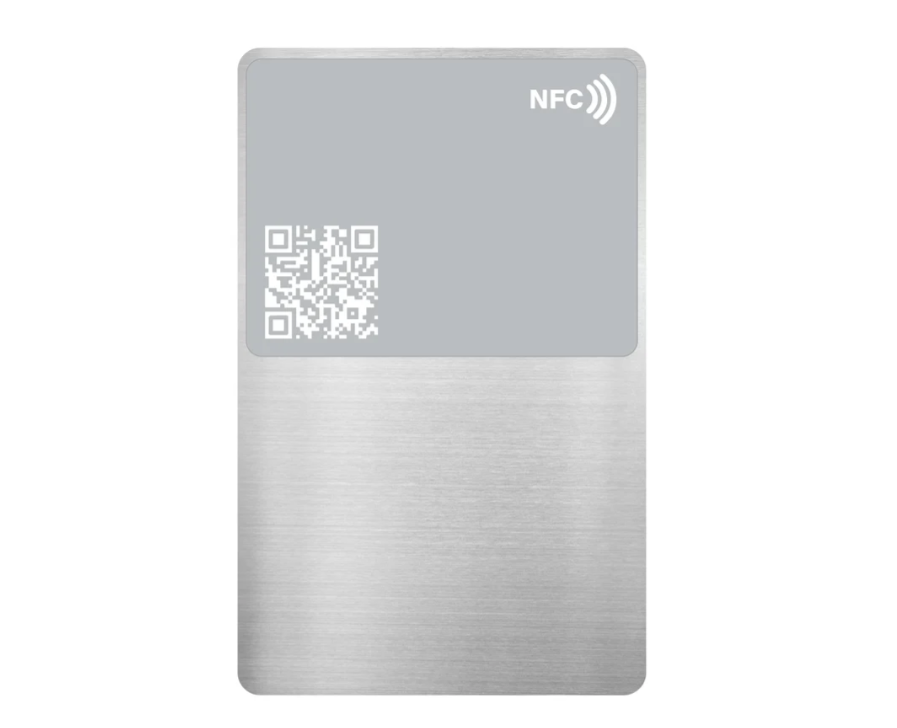
Metal Titanium NFC Smart Business Card
TitaniumTap NFC Card caught my eye because of its sleek look. The card uses real titanium, which feels light but strong. TitaniumTap focuses on fast digital sharing. The card mixes a modern look with powerful tech. The QR code and NFC chip make it easy to connect with anyone.
Key Features
TitaniumTap has features that help me network better:
- Real titanium build for durability
- NFC chip for tap-to-share
- Laser-engraved QR code
- Custom branding and color choices
- Secure online profile with instant updates
- Analytics to track scans and taps
- Water and corrosion resistance
I can change my info anytime. The QR code and NFC work with most phones. The analytics show me who used my card.
Pricing
TitaniumTap NFC Card starts at $99. Custom branding costs $25 more. The analytics dashboard comes with the Plus plan, which is $8 each month. I started with the basic card, then added branding and analytics.
| Card Type | Base Price | Plus Plan (Analytics) | Custom Branding |
|---|---|---|---|
| Titanium | $99 | $8/month | $25 extra |
Pros & Cons
Here’s what I found after using TitaniumTap:
Pros:
- Strong titanium build
- Fast NFC and QR code sharing
- Custom branding options
- Analytics for tracking engagement
- Water and corrosion resistant
Cons:
- Analytics need a monthly plan
- Custom branding adds to the cost
Ratings And Reviews
TitaniumTap gets high ratings for its tough build and tech features. Users like the fast sharing and strong metal feel. Many mention the easy updates and analytics dashboard. Some wish branding was included, but most are happy with the card.
My Experience With TitaniumTap
I used TitaniumTap at a business lunch. I tapped my card to a phone, and my info showed up right away. The QR code worked every time. I checked the analytics and saw who viewed my profile. The card stayed clean and scratch-free. I liked the custom color I picked for my brand.
Final Thoughts on TitaniumTap
TitaniumTap NFC Card makes networking quick and easy. The titanium build feels premium. The NFC and QR code features work well. If you want a strong card with smart sharing, TitaniumTap is a solid choice.
AlloyAccess Pro Card
AlloyAccess Pro Card stands out with its bold design and advanced features. The card uses a mix of metals for a unique look. AlloyAccess helps professionals connect and manage contacts. The card feels heavy and important. The QR code and NFC chip make sharing info simple.

Key Features
AlloyAccess Pro Card gives me lots of options:
- Alloy metal build for strength
- NFC chip and dynamic QR code
- Custom logo and color choices
- Team dashboard for managing many cards
- Analytics for tracking scans and taps
- Secure cloud profile with instant updates
- Water and scratch resistance
I can update my info online. The team dashboard helps me manage cards for my team. The analytics show how many people scanned or tapped my card.
Pricing
AlloyAccess Pro Card starts at $109. Custom logo costs $30 more. The team dashboard comes with the Business plan, which is $12 each month. I got the basic card, then added the team dashboard for my business.
| Card Type | Base Price | Business Plan (Team Dashboard) | Custom Logo |
|---|---|---|---|
| Alloy Metal | $109 | $12/month | $30 extra |
Pros & Cons
Here’s what I found after using AlloyAccess:
Pros:
- Unique alloy metal design
- NFC and QR code sharing
- Team dashboard for businesses
- Analytics for tracking engagement
- Water and scratch resistant
Cons:
- Team dashboard costs extra
- Custom logo adds to the price
Ratings And Reviews
AlloyAccess gets great reviews for its team features and strong build. Users like the easy sharing and analytics. Many mention the team dashboard as a big plus for businesses. Some say the price is high, but most think the features make up for it.
My Experience With AlloyAccess
I used AlloyAccess at a company event. I shared my info with a tap or scan. The team dashboard helped me manage cards for my coworkers. The analytics showed which contacts were most interested. The card stayed perfect, even after heavy use.
Final Thoughts on AlloyAccess
AlloyAccess Pro Card helps me network and manage contacts for my team. The alloy metal design looks sharp. The team dashboard and analytics make it easy to track engagement. If you want a card for your business, AlloyAccess is a top pick.
FusionMetal NFC Card
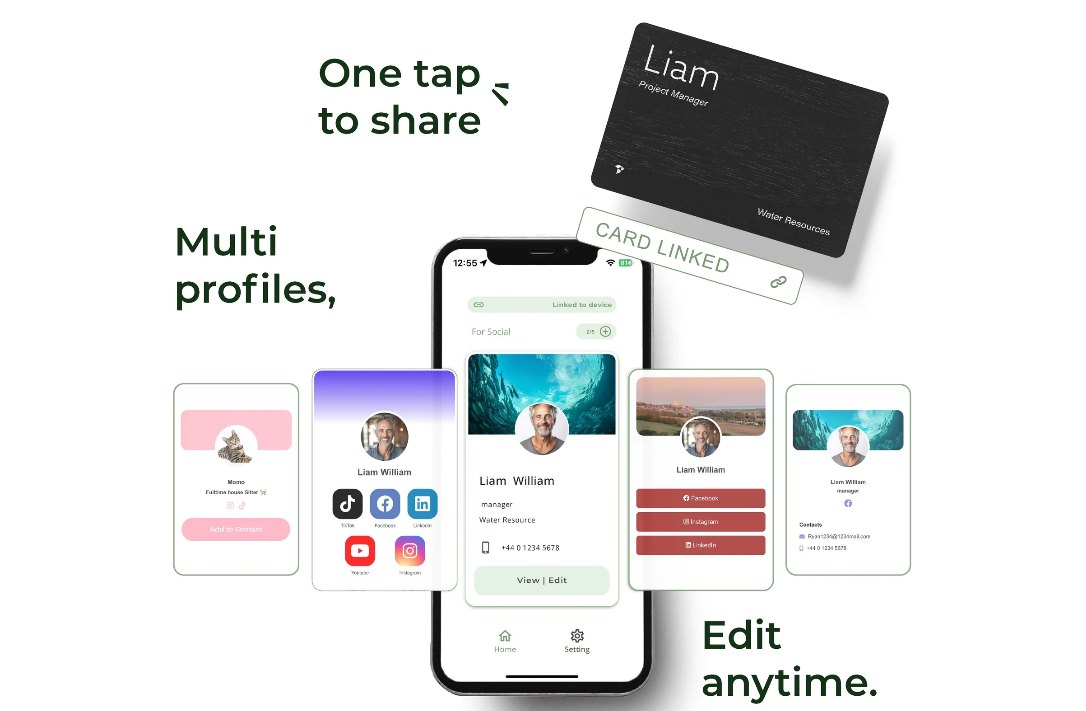
I remember the first time I held a FusionMetal NFC Card. The card felt cool and solid in my hand. It looked sharp and modern. I could tell right away that this card was built for professionals who want to stand out. FusionMetal focuses on making networking simple and smart. The card uses advanced NFC technology, so I can share my details with just a tap. I like that I can customize the card to match my brand or personal style. When I hand out my FusionMetal card, people always ask about it.
Key Features
FusionMetal NFC Card packs a lot of features into one sleek design. Here’s what I noticed:
- Advanced NFC chip for instant sharing
- Works in both active and passive modes for more ways to connect
- Customizable design with different colors, logos, and finishes
- Upload contact info, social media, and website links directly to someone’s phone
- Dedicated dashboard for tracking leads and engagement
- Durable metal construction that resists scratches and water
I love how easy it is to share my info. I just tap the card on a phone, and my details pop up. No one has to type anything. The dashboard helps me see who scanned my card and when. That makes following up with leads much easier.
Here’s a quick look at what makes FusionMetal special:
| Unique Selling Point | Description |
|---|---|
| Advanced NFC Technology | Seamless data sharing and networking with a tap |
| Customization Options | Reflect your brand and personal style with many design choices |
| Enhanced Networking Capabilities | Software suite for tracking leads and sharing information effortlessly |
Pricing
FusionMetal NFC Card offers different pricing based on the options I choose. The basic card starts at $89. If I want custom colors or my logo, I pay a bit more. The dashboard for tracking leads comes with the Pro plan, which costs $10 per month. I started with the basic card and upgraded later when I wanted more features.
- Basic Card: $89
- Custom Design: +$20
- Pro Dashboard: $10/month
I like that I can start simple and add features as my business grows.
Pros & Cons
Here’s what I found after using FusionMetal NFC Card:
Pros:
- Super fast NFC sharing
- Customizable design options
- Tracks leads and engagement
- Durable and stylish metal build
Cons:
- Pro dashboard costs extra each month
- Custom designs add to the price
Ratings And Reviews
Most users give FusionMetal high marks for its technology and style. People mention how easy it is to share info and track leads. Many reviews say the card feels premium and lasts a long time. Some users wish the dashboard was included in the base price, but most agree the features are worth it.
My Experience With FusionMetal
I used FusionMetal at a big networking event. I tapped my card to someone’s phone, and my profile showed up right away. I didn’t have to explain anything. The dashboard helped me see who scanned my card, so I could follow up later. I liked picking my own colors and adding my logo. The card never got scratched, even after weeks in my pocket.
Tip: If you want people to remember you, pick a bold color or add your logo. My red FusionMetal card always gets noticed.
Final Thoughts on FusionMetal
FusionMetal NFC Card makes networking easy and fun. I can share my info in seconds and track my leads without extra work. The card looks great and feels strong. If you want a card that helps you connect and grow your business, FusionMetal is a smart choice.
Comparison: Metal Business Cards with QR Code
When I look for the right card, I want to see all the options side by side. Here’s a quick table that helps me compare the top 10 metal business cards with qr code. I check the main features, price, and what makes each card special.
| Card Name | Best For | Free Plan | Starting Price | Wallet/NFC | Analytics | Security | Lead Capture |
|---|---|---|---|---|---|---|---|
| BizCard | All professionals | Yes | Free | Yes | Yes | High | Yes |
| Linq Metal Card | Modern networking | Yes | $69 | Yes | Yes | High | Yes |
| Popl Metal Card | Lead generation | Yes | $80 | Yes | Yes | High | Yes |
| OVOU Metal Card | Premium impressions | No | $79 | Yes | Yes | High | Yes |
| HiHello Metal Card | Simple sharing | Yes | $69 | Yes | Yes | High | Yes |
| Black Metal Card | Style & durability | No | $99 | Yes | Yes | High | Yes |
| MetalWave QR Card | Tech enthusiasts | No | $89 | Yes | Yes | High | Yes |
| TitaniumTap NFC | Sleek design | No | $99 | Yes | Yes | High | Yes |
| AlloyAccess Pro | Team management | No | $109 | Yes | Yes | High | Yes |
| FusionMetal NFC | Customization lovers | No | $89 | Yes | Yes | High | Yes |
Tip: I always check this table before I buy a new card. It helps me see which card fits my needs best.
Best For
I know every professional has different goals. Here’s how I match each card to different needs:
- BizCard: I use this when I want a card that does everything—great for solo pros and teams.
- Linq Metal Card: I pick this for modern, tech-focused events.
- Popl Metal Card: I choose this when I want to capture lots of leads fast.
- OVOU Metal Card: I go for this when I want to impress with a premium look.
- HiHello Metal Card: I use this for simple, easy sharing.
- Black Metal Card: I like this for style and a bold first impression.
- MetalWave QR Card: I grab this for tech meetups and innovation events.
- TitaniumTap NFC: I use this when I want a sleek, light card.
- AlloyAccess Pro: I pick this for managing a team or business group.
- FusionMetal NFC: I choose this when I want to customize my card’s look.
Free Plan
I always check if a card offers a free plan before I buy. Here’s what I found:
- BizCard: Yes, I can start for free.
- Linq Metal Card: Yes, there’s a free option.
- Popl Metal Card: Yes, I can try it for free.
- HiHello Metal Card: Yes, a free plan is available.
- OVOU, Black Metal, MetalWave, TitaniumTap, AlloyAccess, FusionMetal: No free plan, I need to pay to get started.
I like to try a card for free first. That way, I can see if it fits my style and needs before I spend money.
Pricing
When I shop for a metal business card, price matters to me. I want to know what I get for my money. Some cards start with a free plan, while others ask for a one-time payment or a monthly fee. I made a quick table to help you compare:
| Card Name | Free Plan | Starting Price | Monthly/Extra Fees |
|---|---|---|---|
| BizCard | Yes | Free | Paid upgrades available |
| Linq Metal Card | Yes | $69 | HYPER tier extra |
| Popl Metal Card | Yes | $80 | Pro+ plan $11.99/month |
| OVOU Metal Card | No | $79 | Logo add-on $50 |
| HiHello Metal Card | Yes | $69 | Premium features extra |
| Black Metal Card | No | $99 | Custom engraving extra |
| MetalWave QR Card | No | $89 | Pro plan $9/month |
| TitaniumTap NFC | No | $99 | Plus plan $8/month |
| AlloyAccess Pro | No | $109 | Team dashboard $12/month |
| FusionMetal NFC | No | $89 | Pro dashboard $10/month |
I always start with a free plan if I can. That way, I test the card before I spend money. Some cards cost more because they use premium metals or offer extra features. I look for value, not just the lowest price.
Tip: If you want custom logos or advanced analytics, expect to pay a bit more. I budget for these extras when I want my card to stand out.
Wallet/NFC
I love using wallet and NFC features. They make sharing my info fast and easy. Most cards now work with Apple Wallet or Google Wallet. I add my card to my phone and show it off at events. NFC lets me tap my card to someone’s phone. My details pop up right away.
Here’s how the top cards compare:
- BizCard: Works with both Apple and Google Wallet. NFC tap is smooth.
- Linq Metal Card: Reliable NFC. Wallet integration is simple.
- Popl Metal Card: NFC and wallet support. I use both at trade shows.
- OVOU Metal Card: NFC works well. No wallet integration yet.
- HiHello Metal Card: Wallet and NFC features included.
- Black Metal Card: NFC chip is strong. Wallet support depends on design.
- MetalWave QR Card: NFC and wallet ready.
- TitaniumTap NFC: NFC is fast. Wallet integration available.
- AlloyAccess Pro: NFC and wallet features for teams.
- FusionMetal NFC: Advanced NFC. Wallet support is easy to set up.
I use NFC most often. It saves time and feels modern. Wallet integration helps me keep my card handy on my phone.
Analytics
Tracking my networking is important. I want to know who scans my card and when. Analytics help me follow up with leads and see which events work best for me.
Most cards offer an analytics dashboard. I check my stats after each event. Here’s what I notice:
- BizCard: Detailed analytics. I see who views my card and what they click.
- Linq Metal Card: Good tracking. I get reports on scans and taps.
- Popl Metal Card: Lead capture and analytics. I follow up with new contacts.
- OVOU Metal Card: Simple dashboard. I track engagement easily.
- HiHello Metal Card: Basic analytics. Enough for small events.
- Black Metal Card: Analytics depend on the plan.
- MetalWave QR Card: Pro plan gives full analytics.
- TitaniumTap NFC: Plus plan unlocks tracking features.
- AlloyAccess Pro: Team dashboard shows analytics for all users.
- FusionMetal NFC: Pro dashboard tracks leads and scans.
Note: I always check analytics before I choose a card. It helps me see which card gives me the best insights for my business.
Security
When I pick a metal business card with a QR code, I want my info to be safe. I do not want people to see my details unless I say so. I tried different cards, and each brand keeps info safe in its own way. Most cards let me choose what others can see. If I change my phone or email, I update it online. Only my newest info shows when someone scans my card. That helps me feel safe. I do not worry about old cards with wrong details.
Some cards, like BizCard, give me more control. I can set privacy levels for my profile. I choose what is public and what is private. I share my work email but keep my personal number hidden. The analytics dashboard shows who looks at my card. If I see someone I do not know, I change my settings fast.
Here’s a simple table showing how top cards keep info safe:
| Card Name | Security Features | My Experience |
|---|---|---|
| BizCard | Privacy controls, real-time updates | I feel confident sharing info |
| Linq Metal Card | Secure cloud profile, update anytime | Easy to manage |
| Popl Metal Card | Data encryption, privacy settings | Feels safe |
| OVOU Metal Card | Secure dashboard, info control | Simple and reliable |
| HiHello Metal Card | Profile privacy, wallet integration | Good for quick changes |
| Black Metal Card | Limited privacy, strong build | Best for basic sharing |
| MetalWave QR Card | Secure cloud, analytics | Tracks who scans my card |
| TitaniumTap NFC | Real-time updates, privacy options | Fast and secure |
| AlloyAccess Pro | Team privacy controls, secure cloud | Great for business teams |
| FusionMetal NFC | Data encryption, dashboard privacy | Easy to adjust settings |
Tip: I always look at privacy settings before I use a new card. I want to know who can see my info and how to change it.
Most cards use secure cloud storage. My info does not stay on the card itself. If I lose my card, I update my info online. No one can steal my data from the card. That makes me feel calm.
Some cards have extra security, like two-factor authentication for my dashboard. I use this when I want to protect my business contacts. I think it is smart to pick a card that lets me control my privacy and keep my info safe.
I feel better when I use a metal business card with strong security. My info is protected, and I can share it without worry.
How to Choose Your Metal Digital Business Card?
Assess Networking Needs
When I pick a business card, I always think about how I plan to use it. I ask myself, “Do I go to big conferences or small meetings?” If I want to connect with lots of people, I need a card that shares my info fast. Some cards work better for teams. Others fit solo professionals. I look for features like NFC tap, QR code scanning, and easy updates. If I want to track who scans my card, I choose one with analytics. I also check if the card works with my phone and digital wallet. I want my card to help me meet new people and follow up with leads.
Here’s a table that helps me compare what matters most:
| Criteria | Description |
|---|---|
| Technology Integration Approach | Do I want NFC tap or QR code scan? |
| Enterprise Deployment Scalability | Can my team use it easily? |
| Analytics and Relationship Intelligence | Does it track who scans my card? |
| Customization and Brand Control | Can I change the design to match my brand? |
| Future-Proofing Technology Choices | Will it work with new phones and apps in the future? |
I use this table to decide which card fits my networking style.
Budget and Value
I always check my budget before I buy a card. Some cards cost more because they use special metals or offer extra features. I look for a card that gives me good value. If I want to try a card first, I pick one with a free plan. That way, I see if it works for me. Some cards have a one-time price. Others ask for a monthly fee. I think about what I get for my money. If I need advanced analytics or team management, I might pay more. I want to know all the costs up front. I do not like surprises.
Here are some things I consider:
- Does the card offer a free trial?
- Is there a monthly fee for extra features?
- Can I customize the card without paying too much?
- Will the card last a long time?
If I want the best value, I compare prices and features. I choose the card that fits my needs and my wallet.
Style and Customization
I want my card to show off my style. When I hand out my card, I want people to remember me. I look for cards that let me pick colors, finishes, and engravings. Some cards let me add my logo or choose a special shape. I like cards that match my brand. If I work for a company, I want all our cards to look the same. That helps people remember us.
Here’s a quick list of what I check for style:
- Color choices
- Logo engraving
- Matte or shiny finish
- Unique shapes
- Brand consistency for teams
If I want to stand out, I pick a bold color or a cool design. I think about what fits my personality and my business. Metal business cards with qr code give me lots of options to get creative. When I choose a card that matches my style, I feel proud every time I hand it out.
QR Code Features
When I pick a metal business card, I always check the QR code features first. The QR code is the heart of digital sharing. I want a card that lets me update my info anytime. If my phone number or job title changes, I just update it online. The QR code always shows my latest details. That saves me from printing new cards.
I also look for these QR code features:
- Dynamic QR codes: I can change my info without changing the code.
- Easy scanning: The code should work with any smartphone camera.
- Custom design: Some cards let me add my logo or pick the QR code style.
- Security: I want to control what people see when they scan my card.
Tip: I always test the QR code before I buy a card. I scan it with my phone and ask a friend to try it too. If it works fast, I know it will help me at events.
A good QR code makes networking smooth. I just ask people to scan my card, and they get all my info in seconds. That feels modern and saves time.
Material and Durability
I care about how my card feels in my hand. The material matters a lot. Metal cards stand out because they last longer than paper or plastic. I want a card that does not bend, tear, or fade. When I pull out a metal card, people notice the weight and shine.
Here’s a quick table I use to compare materials:
| Material | Durability | Look & Feel | Water Resistance |
|---|---|---|---|
| Stainless Steel | High | Sleek, modern | Yes |
| Titanium | Very High | Light, premium | Yes |
| Alloy | High | Unique finishes | Yes |
| Plastic | Low | Basic | No |
| Paper | Very Low | Standard | No |
I once left my metal card in my jeans pocket and washed it by mistake. It came out looking brand new. That would never happen with a paper card! I also like that metal cards resist scratches and water. They keep looking sharp, even after months in my wallet.
If I want to impress someone, I choose a card with a unique finish. Matte black or brushed titanium always gets a “wow” from people I meet.
Extra Digital Features
I want more than just a card with my name on it. Extra digital features help me stand out and stay organized. Here are some features I look for:
- NFC tap-to-share: I just tap my card to a phone, and my info pops up.
- Analytics dashboard: I check who scanned my card and when.
- CRM integration: I manage my contacts and follow up with leads.
- Wallet compatibility: I add my card to Apple Wallet or Google Wallet for quick access.
- Custom profiles: I link my website, social media, and even a video intro.
Note: I use analytics to see which events give me the most leads. That helps me plan my networking better.
I love cards that let me update my profile in real time. If I join a new company, I change my info online, and my card is ready to go. These extra features make my card more than just a piece of metal—they turn it into a smart networking tool.
If you want to make the most of your business card, look for these digital extras. They help you connect, track, and grow your network with less effort.
Final Thought
I’ve tried a lot of metal business cards with qr code, and each one brings something special to the table. If you want to boost your networking, pick the card that matches your style and goals. QR code and NFC tech make sharing info fast and easy. Ready to get started? I suggest trying BizCard first. It’s simple, smart, and helps you stand out.
Tip: Choose a card that feels right in your hand and fits your brand!
FAQ
What is a metal business card with a QR code?
I use a metal business card with a QR code to share my contact info fast. People scan the code with their phone. They get my details right away. The card feels strong and looks modern.
How do I update my info on my digital card?
I log in to my card’s dashboard. I change my details there. The QR code always shows my latest info. I never need to print new cards.
Can I use NFC and QR code together?
Yes! I tap my card on a phone for NFC sharing. If someone prefers, they can scan the QR code instead. Both options work for me.
Are metal business cards safe for my data?
I feel safe using these cards. My info stays in a secure cloud. I control what people see. I can update or hide my details anytime.
Do I need an app to use these cards?
No app needed for most cards. People just scan the QR code or tap for NFC. I like that it works with any smartphone camera.
How long does a metal card last?
My metal card lasts for years. It does not bend or fade. I even washed it by mistake once, and it still looked new.
Can I customize the look of my card?
Yes, I can pick colors, add my logo, or choose a special finish. Customization helps my card match my brand and style.
What if I lose my metal business card?
I do not worry if I lose my card. My info stays safe online. I just order a new card and link it to my profile.
![Are Business Cards Still Relevant? 10 Reasons You Need Them in 2026 Networking [with Cases]](https://card.biz/wp-content/uploads/2025/12/image-92-420x280.png)

