


You may ask, “Are business cards still relevant in 2026?” The answer is yes. Many people now use digital cards after the pandemic, which has led to fewer printed cards. Tools like BizCard’s Google Wallet Business Card demonstrate how cards have evolved. Digital business cards allow you to share your information quickly and securely while also being eco-friendly. When you meet new people, consider using both types of cards, as both can help you forge strong connections.
Are business cards still relevant in 2026?

You may ask if business cards are still important in 2026. The answer is yes. This is an important question because how we connect has changed. Technology makes sharing information easy. But people still want real connections. When you meet someone at an event, giving a business card helps them remember you. It shows you want to build a real relationship, not just collect names.
Physical business cards help you get noticed. The look and feel of your card can show your brand. Many people say trading cards helps them remember each other. You do not need your phone or the internet to use them. This is helpful if technology does not work.
Digital business cards, like BizCard’s Google Wallet Business Card, give new ways to network. You can share your contact details right away with NFC or a QR code. You can change your information any time, and everyone will see the update. Digital cards are good for the environment and easy to keep. You do not have to worry about losing them. You can use them on any device.
Here is a quick list of why both types matter:
- Physical cards help you connect face-to-face.
- Digital cards let you share and update fast.
- Both types help you meet different people in different places.
- Using both lets you pick what works best each time.
Some people like physical cards in old-fashioned jobs or when clients want something they can hold. Others, like freelancers and remote workers, think digital cards are easier. Creative people often use both to show their style and that they can adapt.
| Scenario Type | Reason for Preference |
|---|---|
| Traditional Industries | Some jobs still expect physical cards. |
| Personal Interactions | Many people like trading real cards. |
| Clients’ Preference | Some clients want something they can touch. |
Are business cards still important in 2026? Yes, because they help you connect in ways digital tools cannot. Digital business cards, like BizCard’s Google Wallet Business Card, make networking faster and easier. Physical cards still help you make a strong first impression. Using both gives you the best chance to do well in any networking situation.
Current trends in business card usage in 2026

People use business cards in new ways in 2026. Digital cards are now very popular. BizCard’s Google Wallet Business Card is a favorite for many workers. You can share your contact info with a tap or scan. This makes meeting new people quick and simple.
Here is a table that shows how BizCard’s Google Wallet Business Card is special compared to other digital cards:
| Feature | Description |
|---|---|
| Integration with Google Wallet | It is easy, safe, and good for the planet. |
| Contactless NFC Sharing | Share your card by tapping phones. No app needed for others. |
| QR Code Generation | Make a QR code so people can scan and save your info. |
| Cloud-Based Storage | Keep cards in Google Cloud. You can get them from any device. |
| Secure & Private | Google keeps your info safe and private. |
| Instant Updates | Change your card once and everyone gets the new info. |
| Eco-Friendly Solution | No paper needed, so it helps the earth. |
NFC sharing and QR codes give you many good things. You can get new contacts fast and follow up quickly. You do not have to type in names or numbers. Your contacts go right into your system. You can see which events help you the most.
Digital business cards keep your info safe. BizCard’s Google Wallet Business Card uses strong safety tools. Your data is locked when sent and stored. Firewalls and controls keep your info safe. You choose who can see your details.
Digital business cards fix problems by giving instant updates, easy sharing, and tools to track your networking. They change how people share and keep contact info. Paper cards can get lost or old. Digital cards update when you change your phone, email, or job. Your contacts always have your latest info.
Digital cards help the planet. They make less pollution than paper cards. Making paper cards puts lots of CO2 in the air. Digital cards save trees and cut down on waste. They also use less water and energy.
Let’s look at how digital and physical business cards compare:
| Aspect | Digital Business Cards | Physical Business Cards |
|---|---|---|
| Ease of Sharing | Share by email, text, or social media | You must hand out the card |
| Real-time Updates | Change info right away | You need to print new cards |
| Personalization | Add logos and designs | Only basic designs |
| Cost Savings | No printing costs | Printing costs money |
| Eco-Friendliness | Less waste and pollution | Makes more paper trash |
| Networking Efficiency | Easier to save and remember | People lose or forget them |
You might ask if business cards matter when digital ones do so much. Many people use both kinds to get the best results. You can give a paper card at a meeting and send a digital card later.
Here is a real example. Maria works in sales and used BizCard’s Google Wallet Business Card with demo videos. She got 350 scans in three days. After she followed up, 25% asked for a demo. Luca is an IT consultant. He made special digital cards with his whitepaper. He got 50 good leads and booked meetings with 40% of them.
Digital business cards help you meet people faster, keep your info safe, and help the earth. You can use both types of cards to do well at every event.
You might still ask if business cards matter in 2026. The answer is yes. Many people use both paper and digital cards. You can stand out at events with your card. You can also share your details fast with BizCard’s Google Wallet Business Card. Digital cards help you meet people quicker. You can change your info right away. They are better for the earth. Try using both kinds to meet more people. This helps you fit in anywhere.
Next, you will learn 10 real reasons, with examples, that show why both kinds of business cards are still needed for networking in 2026.
Instant Sharing

Fast Connections Anywhere
You want to make a great impression fast. With a digital business card, you can share your contact details in seconds. No more searching for a pen or digging through your bag for a paper card. Just tap your phone or scan a QR code, and your new contact has everything they need. This speed matters, especially when you meet lots of people at once.
Digital business cards let you share your info through email, text, or apps. You can even use them without an internet connection. At busy events, you do not have to worry about spotty Wi-Fi or losing a stack of cards. You just share your details instantly and move on to the next conversation.
Here are some of the most common ways people share digital business cards in 2026:
| Technology | Description |
|---|---|
| NFC Technology | Allows instant sharing of digital contact details with a simple tap, enhancing networking efficiency. |
| QR Codes | Provides links to portfolios or social media, offering more information than traditional cards. |
| Digital Business Cards | Online cards that can include rich media and be updated in real time, ensuring current information. |
You can also track who saves your card and when. This helps you remember your conversations and follow up later. You spend less time on the exchange and more time building real connections.
Case: Tech Conference Deal
Imagine you are at a huge tech conference. You meet a potential partner, and you both want to stay in touch. Instead of fumbling for a paper card, you pull out your phone and share your digital business card with a tap. Your new contact saves your info right away. Later, you see that they viewed your card and checked your portfolio link. You follow up with a message, and the conversation leads to a business deal. Instant sharing made that connection possible.
Eco-Friendly Networking
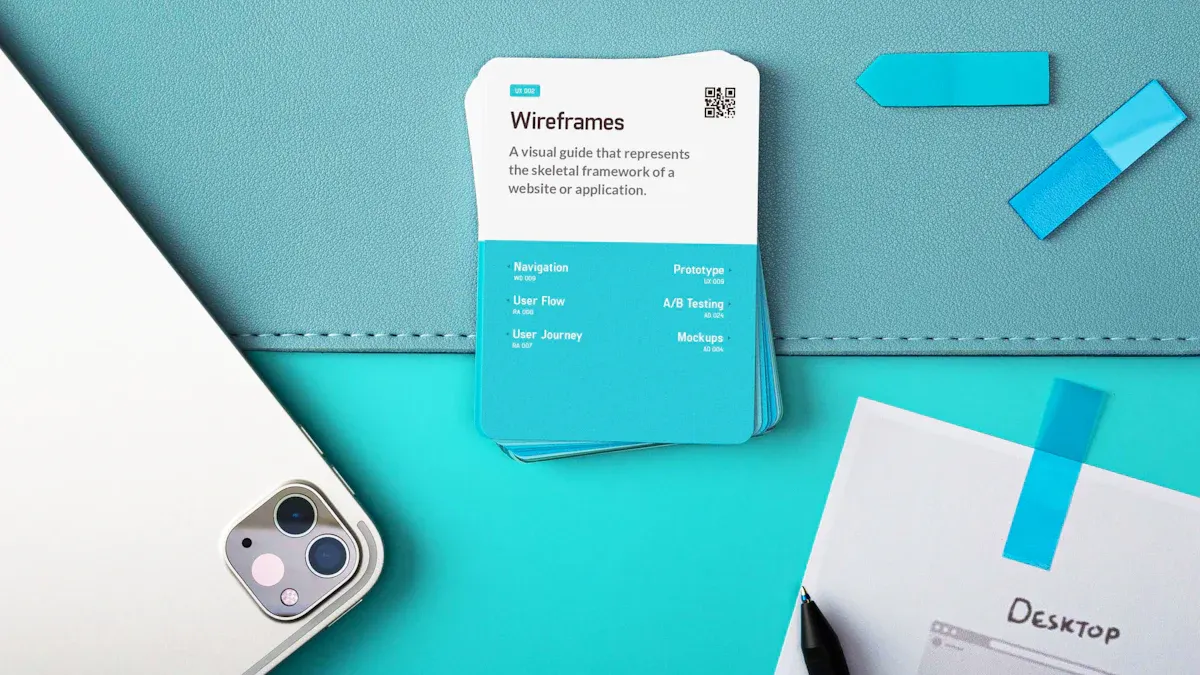
People talk about sustainability more now. Companies want to show they help the planet. You probably see lots of paper wasted at big events. When you give someone a paper business card, you hope it helps. Most cards just get thrown away. That is why eco-friendly networking is important. You can save trees, water, and energy by changing how you share your contact info. A digital business card lets you connect without making trash. You also show people you care about the earth. This small change can make a big difference if many people do it.
Reducing Paper Waste
You might not know how much paper business cards hurt the earth. Every year, companies print 100 billion paper cards. Almost 88% get tossed in the trash in one week. That means about 88 billion cards become garbage. Here are some facts:
- 88% of paper business cards are thrown away in a week.
- 100 billion paper business cards are made every year.
- About 88 billion cards end up as trash.
When you use a digital business card, you skip all that waste. You do not need to print or reprint cards. You also save the energy and water used to make paper. Here is a quick look at how digital cards and paper cards are different:
| Factor | Paper Business Cards | Digital Business Cards |
|---|---|---|
| Resource Consumption | High (trees, water, energy) | Low (electricity for devices) |
| Waste Generation | Significant (landfill impact) | Minimal (e-waste concern) |
| Carbon Emissions | High (due to production and transportation) | Low (reduced energy consumption) |
| Longevity | Short (often discarded quickly) | Indefinite (can be updated and reused) |
| Pollution | High (chemical runoff from production) | Low (depends on e-waste management) |
| Forest Conservation | Negative (deforestation impact) | Positive (conserves trees) |
| Water Conservation | High (24,000 gallons per ton of paper) | Low (no water used in production) |
| Energy Consumption | Very High (energy-intensive industry) | Low (efficient sharing and storage) |
| Landfill Impact | Significant (methane emissions from decay) | Minimal (reduces landfill pressure) |
Case: Green Corporate Event
You go to a company event about sustainability. The organizers ask everyone to use digital business cards. People share their info with a tap or scan. No one gives out paper cards. The event saves thousands of cards from the trash. The company checks how much paper and energy they save. You feel happy to be with people who care about the planet. You also see how easy it is to network without waste. This shows you that eco-friendly networking works and is important.
Always Updated Info

Have you ever given someone a business card and then changed your phone number soon after? Maybe you got a new job or moved to another city. Your old cards do not help anymore. You need to print new cards and hope people remember your new info. That is annoying. In 2026, you do not have to worry about this. A digital business card lets you change your contact details right away. Your network always sees your newest information. You stay in touch and look professional, even if things change quickly. This feature saves you both time and money. You do not need to print cards again or send emails about changes. You just update your card, and everyone gets your new info fast.
Real-Time Contact Changes
You want your contacts to have the right details. Digital business cards make this simple. You can change your phone number, email, or job title in just a few seconds. Everyone who has your card sees your updates. You do not have to worry about old details or missing chances.
Here is a quick way to see how digital cards and printed cards are different:
| Update Capability | Printed Cards | Digital Cards |
|---|---|---|
| Updates | Requires reprinting, incurring costs and waste | Can be updated instantly without reprinting |
You get more than just fast updates. You also get these good things:
- You can share new contact details right away.
- You can add links and videos that people can click.
- You do not need to print cards again, so you save time and money.
| Benefit | Description |
|---|---|
| Instant information delivery | Sharing contact information is quick and seamless with digital business cards, allowing for immediate access. |
| Dynamic content updates | Changes in contact details are reflected instantly, ensuring that users always have the most current information. |
| Elimination of reprinting hassle | Users do not need to reprint cards for updates, saving time and money while maintaining a professional image. |
Tip: You can change your digital business card before a meeting or event. Your contacts will always see your newest info.
Case: Remote Sales Team
Think about a sales team working in different cities. One person gets a new phone number. Someone else gets a new job title. With digital business cards, everyone can update their info right away. The whole team stays connected. Clients always reach the right person. The team saves money because they do not need to print new cards. They also look neat and ready. You can do this for your business too. Stay up to date and never miss a chance to connect.
Interactive Features

You want your business card to do more than just share your name and number. In 2026, networking feels different. People expect more from every connection. You can stand out by using interactive features that make your card memorable. Imagine sharing a video introduction or linking to your latest project. You can even see when someone views your card. These tools help you tell your story and keep people interested. You do not have to settle for a boring card anymore. You can show your work, share your style, and track your impact—all from your phone.
Multimedia and Links
You can add videos, images, and links to your digital business card. This makes your card come alive. People can watch your intro video or click to see your website. You can even link to your social media. This helps you connect in new ways.
Here are some top features users love:
| Feature | Description |
|---|---|
| Uploading Unique Content Pieces | Create dynamic profiles with links, videos, and interactive elements. |
| Multiple Contact Sharing Options | Share with QR codes, NFC, or email signatures for easy information sharing. |
| Click Analytics & Tracking | See how often and in what ways your card is accessed. |
| Profile Page Appearance | Customize colors, fonts, and layouts to match your style. |
| Contact Management & Follow-Ups | Tag contacts and manage follow-ups to keep connections strong. |
You can grab attention with a quick video or a cool project link. Over half of digital business cards shared lead to an action, like someone saving your info or visiting your site. More than 42% of viewers check out the website linked on your card. You get more chances to connect and impress.
Tip: Add a short video or a project link to your card. People remember you better when they see your work.
Case: Portfolio Sharing
You work as a designer. You meet a potential client at an industry event. Instead of handing out a plain card, you share your digital business card. The client taps your card and sees a video of your latest project. They click a link to your online portfolio. Later, you check your analytics and see that they watched your video and visited your site. You follow up with a message. The client remembers you and wants to work together. Your interactive card helped you stand out and win the job.
Digital Business Card Integration

You want your networking to feel smooth and smart. In 2026, you can do more than just share your contact info. You can connect your digital business card with tools you already use. This means you can save new contacts right into your CRM or phone. You can also keep your card in your digital wallet, like Google Wallet or Apple Wallet. You do not have to worry about losing cards or missing a follow-up. Everything works together. BizCard leads the way here. You can share your card with a tap using NFC, or send it straight to someone’s wallet. You stay organized and look professional every time.
CRM and Wallet Sync
You want to keep track of everyone you meet. BizCard lets you sync your digital business card with top CRMs and digital wallets. You can add new contacts to your CRM, like Salesforce or HubSpot, right away. You can also store your card in Google Wallet or Apple Wallet for quick sharing. Here’s how BizCard compares to other platforms:
| Platform | CRM Integrations | Digital Wallet Integration |
|---|---|---|
| BizCard | Salesforce, HubSpot, Pipedrive | Google Wallet, Apple Wallet, NFC |
| Wave Connect | Salesforce, HubSpot, Pipedrive | N/A |
| Repcard | Salesforce, HubSpot | N/A |
| SnapADDY | Salesforce, Microsoft Dynamics, HubSpot, Pipedrive | N/A |
| Letsignit | Microsoft 365, Google Workspace | N/A |
You can see that BizCard gives you more ways to connect and share.
Case: Automated Follow-Ups
You meet lots of people at a big event. You want to follow up, but it’s hard to remember everyone. With BizCard, you can set up automated emails to send right after the event. These emails thank your new contacts and tell them what to do next. You can also use CRM tools to send reminders and keep your leads warm. This helps you stay top-of-mind and close more deals. You do not miss out on chances because everything is automatic. You spend less time on busywork and more time building real relationships.
Tip: Use CRM and wallet sync to make your networking smarter and faster. You will never lose a lead again.
Security and Privacy

You want to feel safe when you share your contact details. In 2026, privacy is even more important. You hear about data leaks and cyber threats a lot. When you use a digital business card, you want your information to stay private. You also want to pick who can see your details. The best platforms, like BizCard, work hard to keep your data safe. They use strong security tools and follow strict rules. You can trust that your information will not go to the wrong people. This helps you feel calm and ready to network.
Controlled Sharing
You get to choose who gets your info. With digital business cards, you can share your details with a tap or scan. You do not have to give cards to everyone. You can also set limits on what people see. Some platforms let you use role-based access or single sign-on (SSO) for extra safety. Here are some common security worries and how digital cards help:
| Security Concern | Description |
|---|---|
| Transfer and storage | Your data stays safe with secure storage and sharing methods. |
| Data theft | Clear privacy policies protect you from unwanted sharing. |
| Identity theft | Regular updates keep hackers out. |
| Lack of compliance | Platforms follow privacy laws to keep your info safe. |
| Insecure operating system | Security checks stop bad actors from getting your details. |
Many platforms, like Blinq and Mobilo, use strong privacy and security. They follow rules like SOC 2 Type II and GDPR. This means they care about your privacy.
Tip: Always check if your digital business card provider follows top security standards.
Case: Healthcare Networking
You work in healthcare. You meet new partners at a medical conference. You need to share your contact info, but you also have private patient data. With a digital business card, you control what you share. You use a platform that follows strict privacy rules. You feel safe because your details stay protected. Your contacts trust you more because you respect their privacy too. This helps you build strong and safe relationships in your field.
Cost Savings

You want to grow your business without wasting money. Every dollar counts, especially when you run a small company or a startup. Printing paper business cards adds up fast. You pay for design, printing, and shipping. You also pay again when you need to update your info or reprint lost cards. Digital business cards change the game. You pay once and update your card as much as you want. You do not worry about running out or throwing away old cards. This switch helps you save money and focus on what matters—building your business.
No Printing Needed
You do not need to print anything with digital business cards. That means you skip the cost of paper, ink, and delivery. You also avoid the hassle of reprints every time your details change. Over time, these savings add up. Here’s a quick look at how much you can save:
| Cost Type | Paper Business Cards | Digital Business Cards | Savings |
|---|---|---|---|
| Annual Cost | $250 for 1,000 cards | $77.88 | $172.12 (33%) |
| 3-Year Cost | €7,500 | €3,750 | €3,750 |
| Per Employee/Year | $40-$80 | $59.88 | Substantial Savings |
You can see that digital cards cost less each year. You also avoid the 26% price increase that comes with traditional cards.
Tip: You can update your digital card anytime without extra cost.
Case: Startup Scaling
You run a startup. Your team grows from five to fifty people in one year. If you use paper cards, you spend hundreds on printing and reprinting. With digital business cards, you pay a small monthly fee. You update everyone’s info in seconds. You save up to 70% on networking costs. You also double your lead conversions because sharing is so easy. Your team stays ready, and your budget stays healthy. That’s smart scaling.
Global Reach

You live in a world where business happens everywhere. You might meet someone from Tokyo in a morning video call and chat with a client in London by afternoon. Old paper cards cannot keep up with this pace. They get lost, damaged, or left behind. Digital business cards break down those walls. You can share your info with anyone, anywhere, in just a few seconds. You do not need to worry about shipping delays or customs. Your card travels as fast as the internet. This makes you ready for any opportunity, no matter where it comes from.
Digital business cards give you instant access and easy sharing. You can exchange details quickly and never worry about losing a contact. These cards also help you follow up faster because they connect with your CRM. You look modern and tech-savvy, which helps you stand out in a global crowd.
Remote Networking
You do not need to be in the same room to make a strong connection. Digital business cards work during video calls, chats, and emails. You can update your info once, and everyone sees the change. You do not waste time typing in new contacts or fixing mistakes. Your brand stays the same, no matter where you share your card.
| Benefit | Description |
|---|---|
| Always up to date | Change once, updated everywhere. |
| Built for remote work | Share during calls, chats, and emails. |
| Faster follow-ups | No manual entry, no lost contacts. |
| Consistent branding | Same impression, every time. |
| Global-ready | One card, unlimited reach. |
Tip: Share your digital business card before a meeting. You look prepared and professional.
Case: International Summit
You join a virtual summit with people from five continents. You meet partners, clients, and experts in breakout rooms. You share your BizCard with a quick link in the chat. Everyone saves your info right away. After the event, you see who viewed your card and where they are from. You send follow-up messages and set up calls. You build a global network without leaving your desk. Digital business cards make it easy to connect with anyone, anywhere.
Analytics and Tracking

You want to know if your networking works. In 2026, you do not have to guess. Digital business cards give you real numbers. You can see who views your card, when they open it, and where they are. This helps you understand what works best. You can spot trends and make smart choices. If you see lots of views from one city, you can focus your efforts there. If people click your portfolio link more than your phone number, you know what grabs attention. Analytics turn your business card into a powerful tool. You get feedback that helps you grow your network and reach your goals.
Engagement Insights
You get more than just numbers. You get insights that help you act. Most digital business card platforms in 2026 offer strong analytics. Here’s a quick look at what you can expect:
| Platform | Analytics Features |
|---|---|
| Vidjet | Tracking for card views and contact information downloads |
| Haystack | Analytics on card performance |
| mTap | Tracking to monitor when and where cards are shared |
| WeTap | Simple analytics showing card views and downloads |
| wCard.io | Analytics tracking |
With these tools, you can:
- See which contacts engage with your card the most.
- Find out where your card gets the most attention.
- Learn which sharing method works best for you.
Tip: Use these insights to focus on the best leads and save time.
Case: Strategy Optimization
You work in marketing. You share your BizCard at a big event. Afterward, you check your analytics. You see most people from New York viewed your card and clicked your LinkedIn link. You decide to follow up with those contacts first. You also notice that sharing your card by QR code works better than email. Next time, you use more QR codes. Your networking becomes smarter and more effective. Analytics help you make every connection count.
Custom Branding

You want your business card to show who you are. In 2026, you can make your card look unique and professional. You do not have to settle for a plain design. You can pick your own colors, add your logo, and use a great photo. Your card can match your brand and help people remember you. When you meet someone new, your card makes a strong first impression. You can update your card anytime, so it always fits your style and business. BizCard gives you tools to create a card that stands out. You can use these features whether you work alone or with a team. Your card becomes part of your brand story.
Personalize Your Card
You can customize your digital business card in many ways. Here are some top options you get with BizCard:
- Choose a high-quality headshot and brand colors.
- Add a tagline that shows your personality.
- Include links to your website, portfolio, and a short bio.
- Share your card with one tap using NFC or QR code.
- Make sure your card looks great on any phone.
- Update your card and track how people use it.
Tip: Change your card design before a big event to match your latest project or campaign.
Case: Industry Expo
You go to an industry expo as a freelancer. You want people to remember you. You use BizCard to create a card with your logo, colors, and a link to your portfolio. You share your card with a quick tap. People see your work and save your info. You look professional and make more connections. Small businesses also use these branding tools to stand out. They save money, update info fast, and connect with clients easily.
| Benefit | Description |
|---|---|
| Cost-effective | Saves money compared to traditional business cards. |
| Professional image | Makes you look polished and ready for business. |
| Quick sharing | Lets you share your info in seconds. |
| Real-time updates | Keeps your card current with every change. |
| Eco-friendly | Cuts down on paper waste. |
| Improved networking | Helps you connect with more clients and leads. |
- Freelancers can show off their work and add links easily.
- Small business owners connect with clients faster.
- Sales teams follow up with leads quickly.
- Real estate agents share contacts during meetings with ease.
You saw how a digital business card helps you connect faster, save money, and stand out. Real cases show it works in busy events and remote meetings. Try BizCard or explore other top platforms. You can future-proof your networking and keep your info fresh and engaging.
FAQ
What is a digital business card?
A digital business card lets you share your contact details using your phone. You can send it by tapping phones, scanning a QR code, or sharing a link. You do not need to print anything.
How do I use BizCard’s Google Wallet Business Card?
You create your card in the Google Wallet app. You can share it by tapping phones with NFC, showing a QR code, or sending a link. You control what information you share.
Are digital business cards safe?
Yes. BizCard’s Google Wallet Business Card uses Google’s security. You decide who sees your information. Your data stays private and protected.
Can I update my digital business card easily?
Yes. You can change your details anytime. Everyone who has your card will see the new information right away. You do not need to print new cards.
Do people still use physical business cards?
Yes. Many people still like to give and receive physical cards. Some industries and events expect them. You can use both types to fit any situation.
Why should I choose a digital business card over a paper one?
Digital cards save time and money. You do not need to print or carry them. You can update them anytime. They are also better for the environment.
Can I use both digital and physical business cards?
Yes. You can use both to match different needs. Give a paper card at a meeting. Share your digital card online or at tech events. This helps you connect with more people.
What makes BizCard’s Google Wallet Business Card special?
You get instant sharing, strong security, and easy updates. You help the planet by using less paper. You can access your card from any device, anywhere.
Summary
You saw how digital business cards change networking in 2026. You can share your info instantly, save money, and help the planet. You always keep your details up to date. Interactive features let you stand out. Integration with tools like CRMs and digital wallets makes follow-ups easy. Security keeps your data safe. You reach people around the world with just a tap. Analytics show what works best. Custom branding helps you look professional and unique. Real cases prove these benefits work for freelancers, teams, and businesses. If you want to future-proof your networking, try a platform like BizCard. You will connect faster, smarter, and greener.


